

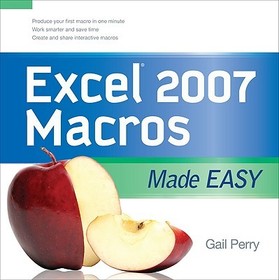
EXCEL 2007 MACROS MADE EASY
-
10% KEDVEZMÉNY?
- A kedvezmény csak az 'Értesítés a kedvenc témákról' hírlevelünk címzettjeinek rendeléseire érvényes.
- Kiadói listaár GBP 29.99
-
13 540 Ft (12 895 Ft + 5% áfa)
Az ár azért becsült, mert a rendelés pillanatában nem lehet pontosan tudni, hogy a beérkezéskor milyen lesz a forint árfolyama az adott termék eredeti devizájához képest. Ha a forint romlana, kissé többet, ha javulna, kissé kevesebbet kell majd fizetnie.
- Kedvezmény(ek) 10% (cc. 1 354 Ft off)
- Kedvezményes ár 12 186 Ft (11 606 Ft + 5% áfa)
Iratkozzon fel most és részesüljön kedvezőbb árainkból!
Feliratkozom
13 540 Ft

Beszerezhetőség
Megrendelésre a kiadó utánnyomja a könyvet. Rendelhető, de a szokásosnál kicsit lassabban érkezik meg.
Why don't you give exact delivery time?
A beszerzés időigényét az eddigi tapasztalatokra alapozva adjuk meg. Azért becsült, mert a terméket külföldről hozzuk be, így a kiadó kiszolgálásának pillanatnyi gyorsaságától is függ. A megadottnál gyorsabb és lassabb szállítás is elképzelhető, de mindent megteszünk, hogy Ön a lehető leghamarabb jusson hozzá a termékhez.
A termék adatai:
- Kiadó McGraw Hill
- Megjelenés dátuma 2008. december 16.
- ISBN 9780071599580
- Kötéstípus Puhakötés
- Terjedelem208 oldal
- Méret 200x200x10 mm
- Súly 440 g
- Nyelv angol 0
Kategóriák
Rövid leírás:
Here is the perfect solution for the spreadsheet user who wants to learn powerful shortcuts and time-saving methods for expediting and remembering tasks.
TöbbHosszú leírás:
Publisher's Note: Products purchased from Third Party sellers are not guaranteed by the publisher for quality, authenticity, or access to any online entitlements included with the product. Get beyond the basics with Excel 2007 macros Now you can take your Excel skills to the next level with help from this hands-on guide. Excel 2007 Macros Made Easy shows you how to create, run, and revise macros to simplify repetitive tasks and store the instructions for complicated ones. You'll learn to use Visual Basic for Applications (VBA), add macros to the Excel toolbar, and share your macros with other users. Discover how easy it is to develop custom macros, save time, and boost productivity.
Publisher's Note: Products purchased from Third Party sellers are not guaranteed by the publisher for quality, authenticity, or access to any online entitlements included with the product.
Get beyond the basics with Excel 2007 macros
Now you can take your Excel skills to the next level with help from this hands-on guide. Excel 2007 Macros Made Easy shows you how to create, run, and revise macros to simplify repetitive tasks and store the instructions for complicated ones. You'll learn to use Visual Basic for Applications (VBA), add macros to the Excel toolbar, and share your macros with other users. Discover how easy it is to develop custom macros, save time, and boost productivity.
- Record and edit macros
- Create and debug macros in VBA
- Save macros to the Personal Macro Workbook or other workbooks
- Create VBA subroutines and functions
- Develop interactive macros
- Format cells using macros
- Create variables and arrays
- Apply logic to macros with If/Then/Else routines
- Use loops to process data
- Add controls to your worksheets
Több
Tartalomjegyzék:
Introduction
Chapter 1. Recording Macros
Chapter 2. Editing Macros
Chapter 3. Creating Macros in Visual Basic
Chapter 4. Storing Macros
Chapter 5. Understanding Macro Commands
Chapter 6. Using Visual Basic Subroutines and Creating Functions
Chapter 7. Creating Interactive Macros
Chapter 8. Using Macros to Format Cells
Chapter 9. Using Variables in Macros
Chapter 10. Creating If/Then/Else Routines
Chapter 11. Exploring Loops
Chapter 12. Adding Controls to Your Worksheets
Index

