

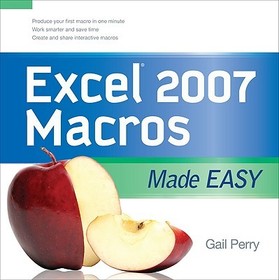
EXCEL 2007 MACROS MADE EASY
- Publisher's listprice GBP 29.99
-
13 540 Ft (12 895 Ft + 5% VAT)
The price is estimated because at the time of ordering we do not know what conversion rates will apply to HUF / product currency when the book arrives. In case HUF is weaker, the price increases slightly, in case HUF is stronger, the price goes lower slightly.
- Discount 10% (cc. 1 354 Ft off)
- Discounted price 12 186 Ft (11 606 Ft + 5% VAT)
Subcribe now and take benefit of a favourable price.
Subscribe
13 540 Ft

Availability
printed on demand
Why don't you give exact delivery time?
Delivery time is estimated on our previous experiences. We give estimations only, because we order from outside Hungary, and the delivery time mainly depends on how quickly the publisher supplies the book. Faster or slower deliveries both happen, but we do our best to supply as quickly as possible.
Product details:
- Publisher McGraw Hill
- Date of Publication 16 December 2008
- ISBN 9780071599580
- Binding Paperback
- No. of pages208 pages
- Size 200x200x10 mm
- Weight 440 g
- Language English 0
Categories
Short description:
Here is the perfect solution for the spreadsheet user who wants to learn powerful shortcuts and time-saving methods for expediting and remembering tasks.
MoreLong description:
Publisher's Note: Products purchased from Third Party sellers are not guaranteed by the publisher for quality, authenticity, or access to any online entitlements included with the product. Get beyond the basics with Excel 2007 macros Now you can take your Excel skills to the next level with help from this hands-on guide. Excel 2007 Macros Made Easy shows you how to create, run, and revise macros to simplify repetitive tasks and store the instructions for complicated ones. You'll learn to use Visual Basic for Applications (VBA), add macros to the Excel toolbar, and share your macros with other users. Discover how easy it is to develop custom macros, save time, and boost productivity.
Publisher's Note: Products purchased from Third Party sellers are not guaranteed by the publisher for quality, authenticity, or access to any online entitlements included with the product.
Get beyond the basics with Excel 2007 macros
Now you can take your Excel skills to the next level with help from this hands-on guide. Excel 2007 Macros Made Easy shows you how to create, run, and revise macros to simplify repetitive tasks and store the instructions for complicated ones. You'll learn to use Visual Basic for Applications (VBA), add macros to the Excel toolbar, and share your macros with other users. Discover how easy it is to develop custom macros, save time, and boost productivity.
- Record and edit macros
- Create and debug macros in VBA
- Save macros to the Personal Macro Workbook or other workbooks
- Create VBA subroutines and functions
- Develop interactive macros
- Format cells using macros
- Create variables and arrays
- Apply logic to macros with If/Then/Else routines
- Use loops to process data
- Add controls to your worksheets
More
Table of Contents:
Introduction
Chapter 1. Recording Macros
Chapter 2. Editing Macros
Chapter 3. Creating Macros in Visual Basic
Chapter 4. Storing Macros
Chapter 5. Understanding Macro Commands
Chapter 6. Using Visual Basic Subroutines and Creating Functions
Chapter 7. Creating Interactive Macros
Chapter 8. Using Macros to Format Cells
Chapter 9. Using Variables in Macros
Chapter 10. Creating If/Then/Else Routines
Chapter 11. Exploring Loops
Chapter 12. Adding Controls to Your Worksheets
Index

