

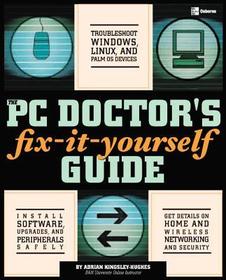
The PC Doctor's Fix It Yourself Guide
-
10% KEDVEZMÉNY?
- A kedvezmény csak az 'Értesítés a kedvenc témákról' hírlevelünk címzettjeinek rendeléseire érvényes.
- Kiadói listaár GBP 34.99
-
15 797 Ft (15 045 Ft + 5% áfa)
Az ár azért becsült, mert a rendelés pillanatában nem lehet pontosan tudni, hogy a beérkezéskor milyen lesz a forint árfolyama az adott termék eredeti devizájához képest. Ha a forint romlana, kissé többet, ha javulna, kissé kevesebbet kell majd fizetnie.
- Kedvezmény(ek) 10% (cc. 1 580 Ft off)
- Kedvezményes ár 14 218 Ft (13 541 Ft + 5% áfa)
Iratkozzon fel most és részesüljön kedvezőbb árainkból!
Feliratkozom
15 797 Ft

Beszerezhetőség
Bizonytalan ideig nincs raktáron a kiadónál, rendelése nem javasolt.
Why don't you give exact delivery time?
A beszerzés időigényét az eddigi tapasztalatokra alapozva adjuk meg. Azért becsült, mert a terméket külföldről hozzuk be, így a kiadó kiszolgálásának pillanatnyi gyorsaságától is függ. A megadottnál gyorsabb és lassabb szállítás is elképzelhető, de mindent megteszünk, hogy Ön a lehető leghamarabb jusson hozzá a termékhez.
A termék adatai:
- Kiadó McGraw Hill
- Megjelenés dátuma 2004. augusztus 16.
- ISBN 9780072255539
- Kötéstípus Puhakötés
- Terjedelem480 oldal
- Méret 231x182x24 mm
- Súly 785 g
- Nyelv angol 0
Kategóriák
Rövid leírás:
Provides in-depth coverage on how to keep your computer in tip top condition as well as how to carry out upgrades and install new software on the system safely
TöbbHosszú leírás:
Publisher's Note: Products purchased from Third Party sellers are not guaranteed by the publisher for quality, authenticity, or access to any online entitlements included with the product.
Keep your PC in tip-top shape with the PC Doctor’s proven treatments
Diagnose, fix, upgrade, and maintain your PC and install software and peripherals with help from this easy-to-use guide. Inside, you’ll find just what the PC Doctor ordered with the fix-it-yourself PC home remedies you need to take good care of your computer. Learn how to interpret error messages, troubleshoot common problems, and resolve performance issues. Plus, get handy checklists at the end of each chapter to help you with ongoing maintenance. This step-by-step resource empowers you with the knowledge and skills you need to keep your PC running smoothly.
- Learn the anatomy of your PC to better care for it
- Maintain your file system properly
- Upgrade your PC--add memory, components, devices, and more
- Protect your PC from viruses, worms, hackers, and other threats
- Troubleshoot and back up your hard drive
- Take advantage of CD and DVD storage capacity
- Network PCs together and share resources, such as printers, hard drives, and more
- Connect devices to your PC using expansion cards and ports
- Make the most of the Internet--from getting a better connection to speeding up your browser
- Get expert advice on where to find more information to help yourself
Publisher's Note: Products purchased from Third Party sellers are not guaranteed by the publisher for quality, authenticity, or access to any online entitlements included with the product.
Keep your PC in tip-top shape with the PC Doctor’s proven treatments
Diagnose, fix, upgrade, and maintain your PC and install software and peripherals with help from this easy-to-use guide. Inside, you’ll find just what the PC Doctor ordered with the fix-it-yourself PC home remedies you need to take good care of your computer. Learn how to interpret error messages, troubleshoot common problems, and resolve performance issues. Plus, get handy checklists at the end of each chapter to help you with ongoing maintenance. This step-by-step resource empowers you with the knowledge and skills you need to keep your PC running smoothly.
- Learn the anatomy of your PC to better care for it
- Maintain your file system properly
- Upgrade your PC--add memory, components, devices, and more
- Protect your PC from viruses, worms, hackers, and other threats
- Troubleshoot and back up your hard drive
- Take advantage of CD and DVD storage capacity
- Network PCs together and share resources, such as printers, hard drives, and more
- Connect devices to your PC using expansion cards and ports
- Make the most of the Internet--from getting a better connection to speeding up your browser
- Get expert advice on where to find more information to help yourself

