

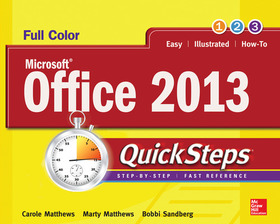
Microsoft® Office 2013 QuickSteps
Sorozatcím: QuickSteps;
-
10% KEDVEZMÉNY?
- A kedvezmény csak az 'Értesítés a kedvenc témákról' hírlevelünk címzettjeinek rendeléseire érvényes.
- Kiadói listaár GBP 23.99
-
10 831 Ft (10 315 Ft + 5% áfa)
Az ár azért becsült, mert a rendelés pillanatában nem lehet pontosan tudni, hogy a beérkezéskor milyen lesz a forint árfolyama az adott termék eredeti devizájához képest. Ha a forint romlana, kissé többet, ha javulna, kissé kevesebbet kell majd fizetnie.
- Kedvezmény(ek) 10% (cc. 1 083 Ft off)
- Kedvezményes ár 9 748 Ft (9 284 Ft + 5% áfa)
Iratkozzon fel most és részesüljön kedvezőbb árainkból!
Feliratkozom
10 831 Ft

Beszerezhetőség
Bizonytalan ideig nincs raktáron a kiadónál, rendelése nem javasolt.
Why don't you give exact delivery time?
A beszerzés időigényét az eddigi tapasztalatokra alapozva adjuk meg. Azért becsült, mert a terméket külföldről hozzuk be, így a kiadó kiszolgálásának pillanatnyi gyorsaságától is függ. A megadottnál gyorsabb és lassabb szállítás is elképzelhető, de mindent megteszünk, hogy Ön a lehető leghamarabb jusson hozzá a termékhez.
A termék adatai:
- Kiadás sorszáma 3
- Kiadó McGraw Hill
- Megjelenés dátuma 2013. június 16.
- ISBN 9780071805872
- Kötéstípus Puhakötés
- Terjedelem360 oldal
- Méret 251x208x15 mm
- Súly 694 g
- Nyelv angol 0
Kategóriák
Rövid leírás:
Full-color, step-by-step guide to the new release of the world’s most popular productivity suite of applications
TöbbHosszú leírás:
Publisher's Note: Products purchased from Third Party sellers are not guaranteed by the publisher for quality, authenticity, or access to any online entitlements included with the product.
Full-color, step-by-step guide to the new release of the world’s most popular productivity suite of applications
Get up and running with Office 2013 right away--the QuickSteps way. Full-color screenshots on every page with clear instructions make it easy to use the latest release of Microsoft's powerful productivity suite. Follow along and quickly learn how to create Word documents; build Excel spreadsheets; manage Outlook email, contacts, and schedules; design PowerPoint presentations; and much more. This practical, fast-paced guide gets you started in no time!
Use these handy guideposts:
- Shortcuts for accomplishing common tasks
- Need-to-know facts in concise narrative
- Helpful reminders or alternate ways of doing things
- Bonus information related to the topic being covered
- Errors and pitfalls to avoid
The unique, landscape-oriented layout of the QuickSteps series mimics your computer screen, displays graphics and explanations side by side, and lays flat so you can easily refer to the book while working on your computer.
Publisher's Note: Products purchased from Third Party sellers are not guaranteed by the publisher for quality, authenticity, or access to any online entitlements included with the product.
Full-color, step-by-step guide to the new release of the world’s most popular productivity suite of applications
Get up and running with Office 2013 right away--the QuickSteps way. Full-color screenshots on every page with clear instructions make it easy to use the latest release of Microsoft's powerful productivity suite. Follow along and quickly learn how to create Word documents; build Excel spreadsheets; manage Outlook email, contacts, and schedules; design PowerPoint presentations; and much more. This practical, fast-paced guide gets you started in no time!
Use these handy guideposts:
- Shortcuts for accomplishing common tasks
- Need-to-know facts in concise narrative
- Helpful reminders or alternate ways of doing things
- Bonus information related to the topic being covered
- Errors and pitfalls to avoid
The unique, landscape-oriented layout of the QuickSteps series mimics your computer screen, displays graphics and explanations side by side, and lays flat so you can easily refer to the book while working on your computer.
TöbbTartalomjegyzék:
1. Stepping into Office
2. Working with Documents in Word
3. Formatting a Document in Word
4. Customizing a Document in Word
5. Entering and Editing Data in Excel
6. Formatting a Worksheet in Excel
7. Using Formulas and Functions in Excel
8. Creating a Presentation in PowerPoint
9. Working with Slides in PowerPoint
10. Working with Content in PowerPoint
11. Receiving and Sending E-Mail in Outlook
12. Scheduling with the Calendar in Outlook
13. Using Task Lists and a Journal in Outlook
14. Printing and Using Mail Merge in Office
15. Using Tables, Charts, and Graphics in Office

