

-
10% KEDVEZMÉNY?
- A kedvezmény csak az 'Értesítés a kedvenc témákról' hírlevelünk címzettjeinek rendeléseire érvényes.
- Kiadói listaár GBP 60.99
-
27 536 Ft (26 225 Ft + 5% áfa)
Az ár azért becsült, mert a rendelés pillanatában nem lehet pontosan tudni, hogy a beérkezéskor milyen lesz a forint árfolyama az adott termék eredeti devizájához képest. Ha a forint romlana, kissé többet, ha javulna, kissé kevesebbet kell majd fizetnie.
- Kedvezmény(ek) 10% (cc. 2 754 Ft off)
- Kedvezményes ár 24 783 Ft (23 603 Ft + 5% áfa)
Iratkozzon fel most és részesüljön kedvezőbb árainkból!
Feliratkozom
27 536 Ft

Beszerezhetőség
Megrendelésre a kiadó utánnyomja a könyvet. Rendelhető, de a szokásosnál kicsit lassabban érkezik meg.
Why don't you give exact delivery time?
A beszerzés időigényét az eddigi tapasztalatokra alapozva adjuk meg. Azért becsült, mert a terméket külföldről hozzuk be, így a kiadó kiszolgálásának pillanatnyi gyorsaságától is függ. A megadottnál gyorsabb és lassabb szállítás is elképzelhető, de mindent megteszünk, hogy Ön a lehető leghamarabb jusson hozzá a termékhez.
A termék adatai:
- Kiadás sorszáma 11
- Kiadó McGraw Hill
- Megjelenés dátuma 2014. november 16.
- ISBN 9780071833141
- Kötéstípus Puhakötés
- Terjedelem704 oldal
- Méret 231x185x35 mm
- Súly 1150 g
- Nyelv angol 0
Kategóriák
Hosszú leírás:
Publisher's Note: Products purchased from Third Party sellers are not guaranteed by the publisher for quality, authenticity, or access to any online entitlements included with the product.
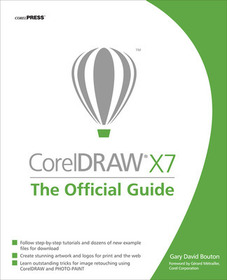
The Only Corel-Authorized Guide to CorelDRAW X7
CorelDRAW X7: The Official Guide shows you how to create photorealistic illustrations, lay out text and graphics, import and edit photos, add special effects to vector art and photos, and transform 2D objects into 3D artwork. You'll also get expert tips for printing work that matches what you've designed on your monitor. Step-by-step tutorials based on downloadable sample files let you learn by doing.- Explore and master CorelDRAW's menus, palettes, and dockers
- Add Paragraph Text, Artistic Text, and custom-shaped text to your designs
- Explore the new Content Exchange for access to new, exciting patterns and other fills
- Create the illusion of 3D objects with the Perspective and Extrude tools
- Dramatically edit objects with the Smear, Twirl, Attract, Repel, and Distortion tools
- Add elements of photorealism to your drawings with lens effects, transparency, shadows, glows, and bevels
- Combine photos with vector graphics in CorelDRAW, and perform advanced editing in PHOTO-PAINT
Publisher's Note: Products purchased from Third Party sellers are not guaranteed by the publisher for quality, authenticity, or access to any online entitlements included with the product.
The Only Corel-Authorized Guide to CorelDRAW X7
CorelDRAW X7: The Official Guide shows you how to create photorealistic illustrations, lay out text and graphics, import and edit photos, add special effects to vector art and photos, and transform 2D objects into 3D artwork. You'll also get expert tips for printing work that matches what you've designed on your monitor. Step-by-step tutorials based on downloadable sample files let you learn by doing.- Explore and master CorelDRAW's menus, palettes, and dockers
- Add Paragraph Text, Artistic Text, and custom-shaped text to your designs
- Explore the new Content Exchange for access to new, exciting patterns and other fills
- Create the illusion of 3D objects with the Perspective and Extrude tools
- Dramatically edit objects with the Smear, Twirl, Attract, Repel, and Distortion tools
- Add elements of photorealism to your drawings with lens effects, transparency, shadows, glows, and bevels
- Combine photos with vector graphics in CorelDRAW, and perform advanced editing in PHOTO-PAINT
Tartalomjegyzék:
Introduction
Part I: Student Orientation Weekend
Chapter 1: Welcome! What’s in Store, and What’s New
Chapter 2: The Roadmap to Features and Productivity in DRAW
Chapter 3: Diving into DRAW! Your First (Guided) Complex Composition
Part II: Getting Basic Skills Mastered
Chapter 4: Working with Single and Multi-page Documents
Chapter 5: Creating Basic Shapes and Applying Transformations
Chapter 6: Arranging and Organizing Objects
Part III: Working with Object Tools for Art and for Business
Chapter 7: Choosing the Right Path Tools
Chapter 8: Exploring the Banner Shapes, Connectors, and Other Office Automation Helpers
Chapter 9: Editing Objects, Rearranging Paths, and Using Boolean Ops
Part IV: Working with Text in a Composition
Chapter 10: Paragraph Text and Artistic Text, and When to Use Them
Chapter 11: CorelDRAW’s Invaluable Proofing Tools
Part V: Attributes for Objects and Lines
Chapter 12: Options for Filling Objects
Chapter 13: Applying Strokes to Paths
Chapter 14: Using Blends and Contours
Chapter 15: Different Sets of Color You Use for Different Output
Part VI: Creating the Illusion of a 3D Composition
Chapter 16: The Perspective and Extrude Effects
Chapter 17: The Shape Editing Tools and Distortions
Chapter 18: Using the Envelope Tool, Lens Effects, and Bevels
Part VII: Special Effects in CorelDRAW
Chapter 18: Shadows and Transparencies
Chapter 19: Working with Bitmap Images in CorelDRAW
Part VIII: Bitmaps and Photos, and How to Use the CGS to Work with Them
Chapter 20: Working with Bitmap Images in CorelDRAW
Chapter 21: Understanding and Working with Pixel-Based Images in CorelDRAW
Chapter 22: Professional Output: A Primer on Prepping Your Professional Work
Part IX: Getting Your Work Out in the Public’s Eye!
Chapter 23: Common Image Editing Techniques using PHOTO-PAINT
Chapter 24: Basic HTML, Page Layout, and Export

