

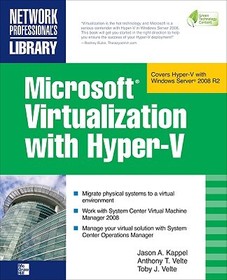
Microsoft Virtualization with Hyper-V
Manage Your Datacenter with Hyper-V, Virtual PC, Virtual Server, and Application Virtualization
Sorozatcím: NETWORKING & COMM - OMG;
-
10% KEDVEZMÉNY?
- A kedvezmény csak az 'Értesítés a kedvenc témákról' hírlevelünk címzettjeinek rendeléseire érvényes.
- Kiadói listaár GBP 56.99
-
25 730 Ft (24 505 Ft + 5% áfa)
Az ár azért becsült, mert a rendelés pillanatában nem lehet pontosan tudni, hogy a beérkezéskor milyen lesz a forint árfolyama az adott termék eredeti devizájához képest. Ha a forint romlana, kissé többet, ha javulna, kissé kevesebbet kell majd fizetnie.
- Kedvezmény(ek) 10% (kb. 2 573 Ft)
- Kedvezményes ár 23 157 Ft (22 055 Ft + 5% áfa)
Iratkozzon fel most és részesüljön kedvezőbb árainkból!
Feliratkozom
25 730 Ft

Beszerezhetőség
Megjelenése törölve vagy kivonva a forgalomból. Sajnos nem rendelhető.
Why don't you give exact delivery time?
A beszerzés időigényét az eddigi tapasztalatokra alapozva adjuk meg. Azért becsült, mert a terméket külföldről hozzuk be, így a kiadó kiszolgálásának pillanatnyi gyorsaságától is függ. A megadottnál gyorsabb és lassabb szállítás is elképzelhető, de mindent megteszünk, hogy Ön a lehető leghamarabb jusson hozzá a termékhez.
A termék adatai:
- Kiadó McGraw Hill
- Megjelenés dátuma 2009. október 16.
- ISBN 9780071614030
- Kötéstípus Puhakötés
- Terjedelem448 oldal
- Méret 231x188x23 mm
- Súly 769 g
- Nyelv angol 0
Kategóriák
Hosszú leírás:
Publisher's Note: Products purchased from Third Party sellers are not guaranteed by the publisher for quality, authenticity, or access to any online entitlements included with the product.
Implement a Hyper-V virtualization solution
Microsoft Virtualization with Hyper-V shows you how to deploy Microsoft's next-generation hypervisor-based server virtualization technology in a corporate environment. You'll get step-by-step guidelines for getting Hyper-V up and running, followed by best practices for building a larger, fault-tolerant solution using System Center Virtual Machine Manager 2008. This hands-on guide explains how to migrate physical systems to the virtual environment; use System Center Operations Manager; and secure, back up, and restore your Hyper-V solution.
- Plan and implement a Hyper-V installation
- Configure Hyper-V components
- Install and configure System Center Virtual Machine Manager 2008
- Create and manage virtual machines
- Back up and restore virtual machines
- Monitor, back up, and restore the virtual solution
- Secure your Hyper-V environment
- Understand the virtual desktop infrastructure
- Use third-party virtualization tools for Hyper-V
Publisher's Note: Products purchased from Third Party sellers are not guaranteed by the publisher for quality, authenticity, or access to any online entitlements included with the product.
Implement a Hyper-V virtualization solution
Microsoft Virtualization with Hyper-V shows you how to deploy Microsoft's next-generation hypervisor-based server virtualization technology in a corporate environment. You'll get step-by-step guidelines for getting Hyper-V up and running, followed by best practices for building a larger, fault-tolerant solution using System Center Virtual Machine Manager 2008. This hands-on guide explains how to migrate physical systems to the virtual environment; use System Center Operations Manager; and secure, back up, and restore your Hyper-V solution.
- Plan and implement a Hyper-V installation
- Configure Hyper-V components
- Install and configure System Center Virtual Machine Manager 2008
- Create and manage virtual machines
- Back up and restore virtual machines
- Monitor, back up, and restore the virtual solution
- Secure your Hyper-V environment
- Understand the virtual desktop infrastructure
- Use third-party virtualization tools for Hyper-V
Tartalomjegyzék:
1 Virtualization Overview
2 Planning and Installation
3 Configuring Hyper-V Components
4 Planning and Designing Systems Center Virtual Machine Manager 2008
5 Installing and Configuring Systems Center Virtual Machine Manager 2008
6 Configuring Systems Center Virtual Machine Manager 2008
7 Creating and Managing Virtual Machines
8 Managing Your Virtual Machines
9 Backing Up, Restoring, and Disaster Recovery for Your Virtual Machines
10 Monitoring Your Virtual Solution
11 Hyper-V Security
12 Virtual Desktop Infrastructure
A Third Party Virtualization Tools for Hyper-V
B Windows Server 2008 Hyper-V Command Line Reference

