

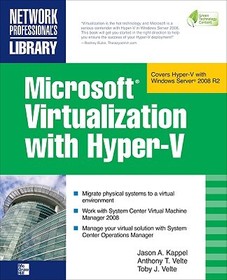
Microsoft Virtualization with Hyper-V
Manage Your Datacenter with Hyper-V, Virtual PC, Virtual Server, and Application Virtualization
Series: NETWORKING & COMM - OMG;
- Publisher's listprice GBP 56.99
-
25 730 Ft (24 505 Ft + 5% VAT)
The price is estimated because at the time of ordering we do not know what conversion rates will apply to HUF / product currency when the book arrives. In case HUF is weaker, the price increases slightly, in case HUF is stronger, the price goes lower slightly.
- Discount 10% (cc. 2 573 Ft off)
- Discounted price 23 157 Ft (22 055 Ft + 5% VAT)
Subcribe now and take benefit of a favourable price.
Subscribe
25 730 Ft

Availability
cancelled
Why don't you give exact delivery time?
Delivery time is estimated on our previous experiences. We give estimations only, because we order from outside Hungary, and the delivery time mainly depends on how quickly the publisher supplies the book. Faster or slower deliveries both happen, but we do our best to supply as quickly as possible.
Product details:
- Publisher McGraw Hill
- Date of Publication 16 October 2009
- ISBN 9780071614030
- Binding Paperback
- No. of pages448 pages
- Size 231x188x23 mm
- Weight 769 g
- Language English 0
Categories
Long description:
Publisher's Note: Products purchased from Third Party sellers are not guaranteed by the publisher for quality, authenticity, or access to any online entitlements included with the product.
Implement a Hyper-V virtualization solution
Microsoft Virtualization with Hyper-V shows you how to deploy Microsoft's next-generation hypervisor-based server virtualization technology in a corporate environment. You'll get step-by-step guidelines for getting Hyper-V up and running, followed by best practices for building a larger, fault-tolerant solution using System Center Virtual Machine Manager 2008. This hands-on guide explains how to migrate physical systems to the virtual environment; use System Center Operations Manager; and secure, back up, and restore your Hyper-V solution.
- Plan and implement a Hyper-V installation
- Configure Hyper-V components
- Install and configure System Center Virtual Machine Manager 2008
- Create and manage virtual machines
- Back up and restore virtual machines
- Monitor, back up, and restore the virtual solution
- Secure your Hyper-V environment
- Understand the virtual desktop infrastructure
- Use third-party virtualization tools for Hyper-V
Publisher's Note: Products purchased from Third Party sellers are not guaranteed by the publisher for quality, authenticity, or access to any online entitlements included with the product.
Implement a Hyper-V virtualization solution
Microsoft Virtualization with Hyper-V shows you how to deploy Microsoft's next-generation hypervisor-based server virtualization technology in a corporate environment. You'll get step-by-step guidelines for getting Hyper-V up and running, followed by best practices for building a larger, fault-tolerant solution using System Center Virtual Machine Manager 2008. This hands-on guide explains how to migrate physical systems to the virtual environment; use System Center Operations Manager; and secure, back up, and restore your Hyper-V solution.
- Plan and implement a Hyper-V installation
- Configure Hyper-V components
- Install and configure System Center Virtual Machine Manager 2008
- Create and manage virtual machines
- Back up and restore virtual machines
- Monitor, back up, and restore the virtual solution
- Secure your Hyper-V environment
- Understand the virtual desktop infrastructure
- Use third-party virtualization tools for Hyper-V
Table of Contents:
1 Virtualization Overview
2 Planning and Installation
3 Configuring Hyper-V Components
4 Planning and Designing Systems Center Virtual Machine Manager 2008
5 Installing and Configuring Systems Center Virtual Machine Manager 2008
6 Configuring Systems Center Virtual Machine Manager 2008
7 Creating and Managing Virtual Machines
8 Managing Your Virtual Machines
9 Backing Up, Restoring, and Disaster Recovery for Your Virtual Machines
10 Monitoring Your Virtual Solution
11 Hyper-V Security
12 Virtual Desktop Infrastructure
A Third Party Virtualization Tools for Hyper-V
B Windows Server 2008 Hyper-V Command Line Reference

