

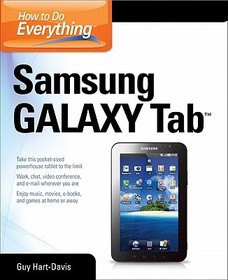
How to Do Everything Samsung Galaxy Tab
Sorozatcím: How to Do Everything;
-
10% KEDVEZMÉNY?
- A kedvezmény csak az 'Értesítés a kedvenc témákról' hírlevelünk címzettjeinek rendeléseire érvényes.
- Kiadói listaár GBP 21.99
-
10 505 Ft (10 005 Ft + 5% áfa)
Az ár azért becsült, mert a rendelés pillanatában nem lehet pontosan tudni, hogy a beérkezéskor milyen lesz a forint árfolyama az adott termék eredeti devizájához képest. Ha a forint romlana, kissé többet, ha javulna, kissé kevesebbet kell majd fizetnie.
- Kedvezmény(ek) 10% (cc. 1 051 Ft off)
- Kedvezményes ár 9 455 Ft (9 005 Ft + 5% áfa)
Iratkozzon fel most és részesüljön kedvezőbb árainkból!
Feliratkozom
10 505 Ft

Beszerezhetőség
Megjelenése törölve vagy kivonva a forgalomból. Sajnos nem rendelhető.
Why don't you give exact delivery time?
A beszerzés időigényét az eddigi tapasztalatokra alapozva adjuk meg. Azért becsült, mert a terméket külföldről hozzuk be, így a kiadó kiszolgálásának pillanatnyi gyorsaságától is függ. A megadottnál gyorsabb és lassabb szállítás is elképzelhető, de mindent megteszünk, hogy Ön a lehető leghamarabb jusson hozzá a termékhez.
A termék adatai:
- Kiadó McGraw-Hill Education
- Megjelenés dátuma 2012. május 16.
- ISBN 9780071771092
- Kötéstípus Puhakötés
- Terjedelem408 oldal
- Méret 231x185x20 mm
- Súly 657 g
- Nyelv angol 0
Kategóriák
Rövid leírás:
Bestselling author Guy Hart-Davis shows how to get the most out of the Samsung Galaxy Tab—the new, compact, Google Android tablet.
TöbbHosszú leírás:
Publisher's Note: Products purchased from Third Party sellers are not guaranteed by the publisher for quality, authenticity, or access to any online entitlements included with the product.
Get the most out of your Samsung GALAXY TabAt last--a tablet that puts the power of a full computer right in your hands! This hands-on guide shows you show to tap into your Galaxy Tab's full range of business productivity and entertainment features. How to Do Everything: Samsung GALAXY Tab teaches you how to connect to wireless networks, sync data with your PC or Mac, browse the Web, use e-mail, and much more. Harness the power of the Android operating system, maximize the built-in and third-party applications, and maintain and troubleshoot your Galaxy Tab with help from this practical, time-saving resource.
- set up, navigate, and customize your Galaxy Tab
- Connect seamlessly to as many wireless networks as you need
- Synchronize your Galaxy Tab with your PC or Mac using Samsung Kies
- Play movies on your Galaxy Tab or your TV
- Take photos and videos and share them online and offline
- Check e-mail, communicate with instant messaging, and browse the Web from anywhere
- Keep up with your social networks on the go
- Read e-books and PDFs in the palm of your hand
- Navigate easily with Google Maps
- Install and use versatile applications from the Android Market
- Troubleshoot, maintain, and secure your Galaxy Tab
- Connect to your work network via virtual private networking
Publisher's Note: Products purchased from Third Party sellers are not guaranteed by the publisher for quality, authenticity, or access to any online entitlements included with the product.
Get the most out of your Samsung GALAXY TabAt last--a tablet that puts the power of a full computer right in your hands! This hands-on guide shows you show to tap into your Galaxy Tab's full range of business productivity and entertainment features. How to Do Everything: Samsung GALAXY Tab teaches you how to connect to wireless networks, sync data with your PC or Mac, browse the Web, use e-mail, and much more. Harness the power of the Android operating system, maximize the built-in and third-party applications, and maintain and troubleshoot your Galaxy Tab with help from this practical, time-saving resource.
- set up, navigate, and customize your Galaxy Tab
- Connect seamlessly to as many wireless networks as you need
- Synchronize your Galaxy Tab with your PC or Mac using Samsung Kies
- Play movies on your Galaxy Tab or your TV
- Take photos and videos and share them online and offline
- Check e-mail, communicate with instant messaging, and browse the Web from anywhere
- Keep up with your social networks on the go
- Read e-books and PDFs in the palm of your hand
- Navigate easily with Google Maps
- Install and use versatile applications from the Android Market
- Troubleshoot, maintain, and secure your Galaxy Tab
- Connect to your work network via virtual private networking
Tartalomjegyzék:
1. Get Up and Running with the Galaxy Tab
2. Customize the Galaxy Tab to Suit You
3. Load and Manage the Galaxy Tab with Samsung Kies
4. Play Music on the Galaxy Tab
5. Watch Movies and Videos on the Galaxy Tab
6. Use the Camera and Make the Most of Photos and Videos
7. Browse the Web
8. Set Up and Use E-mail
9. Keep Up with Your Social Networks
10. Stay in Touch with Instant Messaging
11. Read e-Books, Newspapers, and Magazines on Your Galaxy Tab
12. Make the Most of Apps
13. Learn Three Tricks to Take the Galaxy Tab to the Max
14. Troubleshoot and Update the Galaxy Tab
Index

