

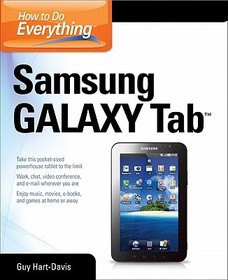
How to Do Everything Samsung Galaxy Tab
Series: How to Do Everything;
- Publisher's listprice GBP 21.99
-
10 505 Ft (10 005 Ft + 5% VAT)
The price is estimated because at the time of ordering we do not know what conversion rates will apply to HUF / product currency when the book arrives. In case HUF is weaker, the price increases slightly, in case HUF is stronger, the price goes lower slightly.
- Discount 10% (cc. 1 051 Ft off)
- Discounted price 9 455 Ft (9 005 Ft + 5% VAT)
Subcribe now and take benefit of a favourable price.
Subscribe
10 505 Ft

Availability
cancelled
Why don't you give exact delivery time?
Delivery time is estimated on our previous experiences. We give estimations only, because we order from outside Hungary, and the delivery time mainly depends on how quickly the publisher supplies the book. Faster or slower deliveries both happen, but we do our best to supply as quickly as possible.
Product details:
- Publisher McGraw-Hill Education
- Date of Publication 16 May 2012
- ISBN 9780071771092
- Binding Paperback
- No. of pages408 pages
- Size 231x185x20 mm
- Weight 657 g
- Language English 0
Categories
Short description:
Bestselling author Guy Hart-Davis shows how to get the most out of the Samsung Galaxy Tab—the new, compact, Google Android tablet.
MoreLong description:
Publisher's Note: Products purchased from Third Party sellers are not guaranteed by the publisher for quality, authenticity, or access to any online entitlements included with the product.
Get the most out of your Samsung GALAXY TabAt last--a tablet that puts the power of a full computer right in your hands! This hands-on guide shows you show to tap into your Galaxy Tab's full range of business productivity and entertainment features. How to Do Everything: Samsung GALAXY Tab teaches you how to connect to wireless networks, sync data with your PC or Mac, browse the Web, use e-mail, and much more. Harness the power of the Android operating system, maximize the built-in and third-party applications, and maintain and troubleshoot your Galaxy Tab with help from this practical, time-saving resource.
- set up, navigate, and customize your Galaxy Tab
- Connect seamlessly to as many wireless networks as you need
- Synchronize your Galaxy Tab with your PC or Mac using Samsung Kies
- Play movies on your Galaxy Tab or your TV
- Take photos and videos and share them online and offline
- Check e-mail, communicate with instant messaging, and browse the Web from anywhere
- Keep up with your social networks on the go
- Read e-books and PDFs in the palm of your hand
- Navigate easily with Google Maps
- Install and use versatile applications from the Android Market
- Troubleshoot, maintain, and secure your Galaxy Tab
- Connect to your work network via virtual private networking
Publisher's Note: Products purchased from Third Party sellers are not guaranteed by the publisher for quality, authenticity, or access to any online entitlements included with the product.
Get the most out of your Samsung GALAXY TabAt last--a tablet that puts the power of a full computer right in your hands! This hands-on guide shows you show to tap into your Galaxy Tab's full range of business productivity and entertainment features. How to Do Everything: Samsung GALAXY Tab teaches you how to connect to wireless networks, sync data with your PC or Mac, browse the Web, use e-mail, and much more. Harness the power of the Android operating system, maximize the built-in and third-party applications, and maintain and troubleshoot your Galaxy Tab with help from this practical, time-saving resource.
- set up, navigate, and customize your Galaxy Tab
- Connect seamlessly to as many wireless networks as you need
- Synchronize your Galaxy Tab with your PC or Mac using Samsung Kies
- Play movies on your Galaxy Tab or your TV
- Take photos and videos and share them online and offline
- Check e-mail, communicate with instant messaging, and browse the Web from anywhere
- Keep up with your social networks on the go
- Read e-books and PDFs in the palm of your hand
- Navigate easily with Google Maps
- Install and use versatile applications from the Android Market
- Troubleshoot, maintain, and secure your Galaxy Tab
- Connect to your work network via virtual private networking
Table of Contents:
1. Get Up and Running with the Galaxy Tab
2. Customize the Galaxy Tab to Suit You
3. Load and Manage the Galaxy Tab with Samsung Kies
4. Play Music on the Galaxy Tab
5. Watch Movies and Videos on the Galaxy Tab
6. Use the Camera and Make the Most of Photos and Videos
7. Browse the Web
8. Set Up and Use E-mail
9. Keep Up with Your Social Networks
10. Stay in Touch with Instant Messaging
11. Read e-Books, Newspapers, and Magazines on Your Galaxy Tab
12. Make the Most of Apps
13. Learn Three Tricks to Take the Galaxy Tab to the Max
14. Troubleshoot and Update the Galaxy Tab
Index

