

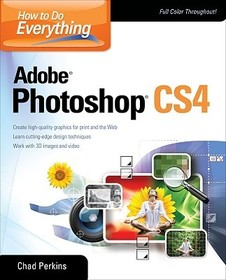
How to Do Everything Adobe Photoshop CS4
Sorozatcím: CONSUMER APPL & HARDWARE - OMG;
-
10% KEDVEZMÉNY?
- A kedvezmény csak az 'Értesítés a kedvenc témákról' hírlevelünk címzettjeinek rendeléseire érvényes.
- Kiadói listaár GBP 33.99
-
15 346 Ft (14 615 Ft + 5% áfa)
Az ár azért becsült, mert a rendelés pillanatában nem lehet pontosan tudni, hogy a beérkezéskor milyen lesz a forint árfolyama az adott termék eredeti devizájához képest. Ha a forint romlana, kissé többet, ha javulna, kissé kevesebbet kell majd fizetnie.
- Kedvezmény(ek) 10% (kb. 1 535 Ft)
- Kedvezményes ár 13 811 Ft (13 154 Ft + 5% áfa)
Iratkozzon fel most és részesüljön kedvezőbb árainkból!
Feliratkozom
15 346 Ft

Beszerezhetőség
Megjelenése törölve vagy kivonva a forgalomból. Sajnos nem rendelhető.
Why don't you give exact delivery time?
A beszerzés időigényét az eddigi tapasztalatokra alapozva adjuk meg. Azért becsült, mert a terméket külföldről hozzuk be, így a kiadó kiszolgálásának pillanatnyi gyorsaságától is függ. A megadottnál gyorsabb és lassabb szállítás is elképzelhető, de mindent megteszünk, hogy Ön a lehető leghamarabb jusson hozzá a termékhez.
A termék adatai:
- Kiadó McGraw Hill
- Megjelenés dátuma 2009. június 16.
- ISBN 9780071605229
- Kötéstípus Puhakötés
- Terjedelem288 oldal
- Méret 233x188x13 mm
- Súly 549 g
- Nyelv angol 0
Kategóriák
Hosszú leírás:
Master Adobe Photoshop CS4
Filled with full-color examples, this hands-on guide explains how to use the latest release of the industry standard program for graphics professionals. How to Do Everything: Adobe Photoshop CS4 takes you step-by-step through the process of bringing your creative concepts to completion. Real-world examples reveal how cutting-edge design techniques are achieved. With this book, you'll learn how to use all the program's tools and settings to create and edit compelling images for print, the Web, and animation.
- Manage and customize the interface
- Create, manage, and blend layers and apply layer styles
- Work with color, brushes, painting tools, gradients, and vector shapes
- Pick pixels with selections
- Edit, repair, and enhance images and Camera Raw files
- Transform objects without degrading image quality
- Create and format text
- Use the 3D and video features of Photoshop Extended
- Apply special effects with filters, warping, and textures
- Optimize your work for print, the Web, and mobile devices
- Save time using automation tools
Master Adobe Photoshop CS4
Filled with full-color examples, this hands-on guide explains how to use the latest release of the industry standard program for graphics professionals. How to Do Everything: Adobe Photoshop CS4 takes you step-by-step through the process of bringing your creative concepts to completion. Real-world examples reveal how cutting-edge design techniques are achieved. With this book, you'll learn how to use all the program's tools and settings to create and edit compelling images for print, the Web, and animation.
- Manage and customize the interface
- Create, manage, and blend layers and apply layer styles
- Work with color, brushes, painting tools, gradients, and vector shapes
- Pick pixels with selections
- Edit, repair, and enhance images and Camera Raw files
- Transform objects without degrading image quality
- Create and format text
- Use the 3D and video features of Photoshop Extended
- Apply special effects with filters, warping, and textures
- Optimize your work for print, the Web, and mobile devices
- Save time using automation tools
Tartalomjegyzék:
Chapter 1. Welcome to Photoshop
Chapter 2. Getting Efficient with the Workspace
Chapter 3. Document and Layer Basics
Chapter 4. Working with Color
Chapter 5. Getting Creative
Chapter 6. Picking Pixels with Selections
Chapter 7. Working with Images
Chapter 8. Blending Layers
Chapter 9. Advanced Image "Doctoring"
Chapter 10. Transforms and Smart Objects
Chapter 11. Creating and Adjusting Text
Chapter 12. Intro to Photoshop Extended
Chapter 13. Special Effects
Chapter 14. Advanced Creative Concepts
Chapter 15. Exporting
Chapter 16. Time Savers and Automation
Chapter 17. Making a Living Using Photoshop
Index

