

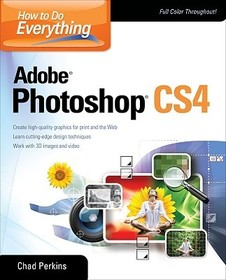
How to Do Everything Adobe Photoshop CS4
Series: CONSUMER APPL & HARDWARE - OMG;
- Publisher's listprice GBP 33.99
-
15 346 Ft (14 615 Ft + 5% VAT)
The price is estimated because at the time of ordering we do not know what conversion rates will apply to HUF / product currency when the book arrives. In case HUF is weaker, the price increases slightly, in case HUF is stronger, the price goes lower slightly.
- Discount 10% (cc. 1 535 Ft off)
- Discounted price 13 811 Ft (13 154 Ft + 5% VAT)
Subcribe now and take benefit of a favourable price.
Subscribe
15 346 Ft

Availability
cancelled
Why don't you give exact delivery time?
Delivery time is estimated on our previous experiences. We give estimations only, because we order from outside Hungary, and the delivery time mainly depends on how quickly the publisher supplies the book. Faster or slower deliveries both happen, but we do our best to supply as quickly as possible.
Product details:
- Publisher McGraw Hill
- Date of Publication 16 June 2009
- ISBN 9780071605229
- Binding Paperback
- No. of pages288 pages
- Size 233x188x13 mm
- Weight 549 g
- Language English 0
Categories
Long description:
Master Adobe Photoshop CS4
Filled with full-color examples, this hands-on guide explains how to use the latest release of the industry standard program for graphics professionals. How to Do Everything: Adobe Photoshop CS4 takes you step-by-step through the process of bringing your creative concepts to completion. Real-world examples reveal how cutting-edge design techniques are achieved. With this book, you'll learn how to use all the program's tools and settings to create and edit compelling images for print, the Web, and animation.
- Manage and customize the interface
- Create, manage, and blend layers and apply layer styles
- Work with color, brushes, painting tools, gradients, and vector shapes
- Pick pixels with selections
- Edit, repair, and enhance images and Camera Raw files
- Transform objects without degrading image quality
- Create and format text
- Use the 3D and video features of Photoshop Extended
- Apply special effects with filters, warping, and textures
- Optimize your work for print, the Web, and mobile devices
- Save time using automation tools
Master Adobe Photoshop CS4
Filled with full-color examples, this hands-on guide explains how to use the latest release of the industry standard program for graphics professionals. How to Do Everything: Adobe Photoshop CS4 takes you step-by-step through the process of bringing your creative concepts to completion. Real-world examples reveal how cutting-edge design techniques are achieved. With this book, you'll learn how to use all the program's tools and settings to create and edit compelling images for print, the Web, and animation.
- Manage and customize the interface
- Create, manage, and blend layers and apply layer styles
- Work with color, brushes, painting tools, gradients, and vector shapes
- Pick pixels with selections
- Edit, repair, and enhance images and Camera Raw files
- Transform objects without degrading image quality
- Create and format text
- Use the 3D and video features of Photoshop Extended
- Apply special effects with filters, warping, and textures
- Optimize your work for print, the Web, and mobile devices
- Save time using automation tools
Table of Contents:
Chapter 1. Welcome to Photoshop
Chapter 2. Getting Efficient with the Workspace
Chapter 3. Document and Layer Basics
Chapter 4. Working with Color
Chapter 5. Getting Creative
Chapter 6. Picking Pixels with Selections
Chapter 7. Working with Images
Chapter 8. Blending Layers
Chapter 9. Advanced Image "Doctoring"
Chapter 10. Transforms and Smart Objects
Chapter 11. Creating and Adjusting Text
Chapter 12. Intro to Photoshop Extended
Chapter 13. Special Effects
Chapter 14. Advanced Creative Concepts
Chapter 15. Exporting
Chapter 16. Time Savers and Automation
Chapter 17. Making a Living Using Photoshop
Index

