

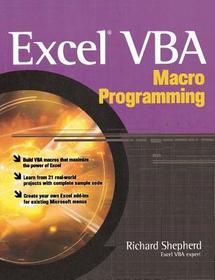
Excel VBA Macro Programming
Sorozatcím: PROGRAMMING & WEB DEV - OMG;
-
10% KEDVEZMÉNY?
- A kedvezmény csak az 'Értesítés a kedvenc témákról' hírlevelünk címzettjeinek rendeléseire érvényes.
- Kiadói listaár GBP 29.00
-
13 093 Ft (12 470 Ft + 5% áfa)
Az ár azért becsült, mert a rendelés pillanatában nem lehet pontosan tudni, hogy a beérkezéskor milyen lesz a forint árfolyama az adott termék eredeti devizájához képest. Ha a forint romlana, kissé többet, ha javulna, kissé kevesebbet kell majd fizetnie.
- Kedvezmény(ek) 10% (kb. 1 309 Ft)
- Kedvezményes ár 11 784 Ft (11 223 Ft + 5% áfa)
Iratkozzon fel most és részesüljön kedvezőbb árainkból!
Feliratkozom
13 093 Ft

Beszerezhetőség
Megjelenése törölve vagy kivonva a forgalomból. Sajnos nem rendelhető.
Why don't you give exact delivery time?
A beszerzés időigényét az eddigi tapasztalatokra alapozva adjuk meg. Azért becsült, mert a terméket külföldről hozzuk be, így a kiadó kiszolgálásának pillanatnyi gyorsaságától is függ. A megadottnál gyorsabb és lassabb szállítás is elképzelhető, de mindent megteszünk, hogy Ön a lehető leghamarabb jusson hozzá a termékhez.
A termék adatai:
- Kiadó McGraw Hill
- Megjelenés dátuma 2004. január 16.
- ISBN 9780072231441
- Kötéstípus Puhakötés
- Terjedelem320 oldal
- Méret 231x185x17 mm
- Súly 551 g
- Nyelv angol 0
Kategóriák
Hosszú leírás:
Publisher's Note: Products purchased from Third Party sellers are not guaranteed by the publisher for quality, authenticity, or access to any online entitlements included with the product.
Develop powerful, custom Excel applications using Visual Basic for Applications
Maximize the features and functionality of Excel with help from this unique resource designed specifically for power users. Inside, you’ll find complete details on Excel VBA programming and application development--from the fundamentals to advanced techniques. Then, you’ll get 21 real-world projects, complete with working code, so you can create Excel VBA macros right away. These projects include everything from setting up timed events to auto totaling a matrix of numbers to altering the appearance of spreadsheet components--and much more.
- Write and debug VBA code
- Create custom dialog boxes and toolbars
- Take advantage of the Excel object model
- Write code to interact with a database
- Use application programming interface (API) calls
- Create and use class modules
- Develop unique menus within the Excel menu structure
- Expand calculation and search functions
- Write macros for customized worksheets
- Create full-fledged Excel add-ins
Publisher's Note: Products purchased from Third Party sellers are not guaranteed by the publisher for quality, authenticity, or access to any online entitlements included with the product.
Develop powerful, custom Excel applications using Visual Basic for Applications
Maximize the features and functionality of Excel with help from this unique resource designed specifically for power users. Inside, you’ll find complete details on Excel VBA programming and application development--from the fundamentals to advanced techniques. Then, you’ll get 21 real-world projects, complete with working code, so you can create Excel VBA macros right away. These projects include everything from setting up timed events to auto totaling a matrix of numbers to altering the appearance of spreadsheet components--and much more.
- Write and debug VBA code
- Create custom dialog boxes and toolbars
- Take advantage of the Excel object model
- Write code to interact with a database
- Use application programming interface (API) calls
- Create and use class modules
- Develop unique menus within the Excel menu structure
- Expand calculation and search functions
- Write macros for customized worksheets
- Create full-fledged Excel add-ins
Több

