

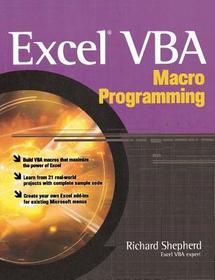
Excel VBA Macro Programming
Series: PROGRAMMING & WEB DEV - OMG;
- Publisher's listprice GBP 29.00
-
13 093 Ft (12 470 Ft + 5% VAT)
The price is estimated because at the time of ordering we do not know what conversion rates will apply to HUF / product currency when the book arrives. In case HUF is weaker, the price increases slightly, in case HUF is stronger, the price goes lower slightly.
- Discount 10% (cc. 1 309 Ft off)
- Discounted price 11 784 Ft (11 223 Ft + 5% VAT)
Subcribe now and take benefit of a favourable price.
Subscribe
13 093 Ft

Availability
cancelled
Why don't you give exact delivery time?
Delivery time is estimated on our previous experiences. We give estimations only, because we order from outside Hungary, and the delivery time mainly depends on how quickly the publisher supplies the book. Faster or slower deliveries both happen, but we do our best to supply as quickly as possible.
Product details:
- Publisher McGraw Hill
- Date of Publication 16 January 2004
- ISBN 9780072231441
- Binding Paperback
- No. of pages320 pages
- Size 231x185x17 mm
- Weight 551 g
- Language English 0
Categories
Long description:
Publisher's Note: Products purchased from Third Party sellers are not guaranteed by the publisher for quality, authenticity, or access to any online entitlements included with the product.
Develop powerful, custom Excel applications using Visual Basic for Applications
Maximize the features and functionality of Excel with help from this unique resource designed specifically for power users. Inside, you’ll find complete details on Excel VBA programming and application development--from the fundamentals to advanced techniques. Then, you’ll get 21 real-world projects, complete with working code, so you can create Excel VBA macros right away. These projects include everything from setting up timed events to auto totaling a matrix of numbers to altering the appearance of spreadsheet components--and much more.
- Write and debug VBA code
- Create custom dialog boxes and toolbars
- Take advantage of the Excel object model
- Write code to interact with a database
- Use application programming interface (API) calls
- Create and use class modules
- Develop unique menus within the Excel menu structure
- Expand calculation and search functions
- Write macros for customized worksheets
- Create full-fledged Excel add-ins
Publisher's Note: Products purchased from Third Party sellers are not guaranteed by the publisher for quality, authenticity, or access to any online entitlements included with the product.
Develop powerful, custom Excel applications using Visual Basic for Applications
Maximize the features and functionality of Excel with help from this unique resource designed specifically for power users. Inside, you’ll find complete details on Excel VBA programming and application development--from the fundamentals to advanced techniques. Then, you’ll get 21 real-world projects, complete with working code, so you can create Excel VBA macros right away. These projects include everything from setting up timed events to auto totaling a matrix of numbers to altering the appearance of spreadsheet components--and much more.
- Write and debug VBA code
- Create custom dialog boxes and toolbars
- Take advantage of the Excel object model
- Write code to interact with a database
- Use application programming interface (API) calls
- Create and use class modules
- Develop unique menus within the Excel menu structure
- Expand calculation and search functions
- Write macros for customized worksheets
- Create full-fledged Excel add-ins
More

