

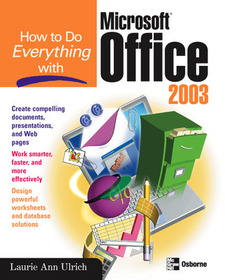
How to Do Everything with Microsoft Office 2003
Series: How to Do Everything;
- Publisher's listprice GBP 24.99
-
11 938 Ft (11 370 Ft + 5% VAT)
The price is estimated because at the time of ordering we do not know what conversion rates will apply to HUF / product currency when the book arrives. In case HUF is weaker, the price increases slightly, in case HUF is stronger, the price goes lower slightly.
- Discount 10% (cc. 1 194 Ft off)
- Discounted price 10 745 Ft (10 233 Ft + 5% VAT)
Subcribe now and take benefit of a favourable price.
Subscribe
11 938 Ft

Availability
cancelled
Why don't you give exact delivery time?
Delivery time is estimated on our previous experiences. We give estimations only, because we order from outside Hungary, and the delivery time mainly depends on how quickly the publisher supplies the book. Faster or slower deliveries both happen, but we do our best to supply as quickly as possible.
Product details:
- Publisher McGraw Hill
- Date of Publication 16 September 2003
- ISBN 9780072229370
- Binding Paperback
- No. of pages480 pages
- Size 228x185x23 mm
- Weight 822 g
- Language English 0
Categories
Short description:
Get clear, concise, and accessible instructions on the most frequently used and useful features of Office applications.
MoreLong description:
Publisher's Note: Products purchased from Third Party sellers are not guaranteed by the publisher for quality, authenticity, or access to any online entitlements included with the product.
Get clear, concise, and accessible instructions on the most frequently used and useful features of Office applications
Discover a spate of splashy new buttons, menus, and colors—plus, learn to maximize significant new features and functions of Office, including XML support, SmartTags, and much more. Highly qualified author Laurie Ulrich has trained more than 10,000 people to use Office, and is well versed at explaining complex concepts to a varied audience.
Publisher's Note: Products purchased from Third Party sellers are not guaranteed by the publisher for quality, authenticity, or access to any online entitlements included with the product.
Get clear, concise, and accessible instructions on the most frequently used and useful features of Office applications
Discover a spate of splashy new buttons, menus, and colors—plus, learn to maximize significant new features and functions of Office, including XML support, SmartTags, and much more. Highly qualified author Laurie Ulrich has trained more than 10,000 people to use Office, and is well versed at explaining complex concepts to a varied audience. More

