

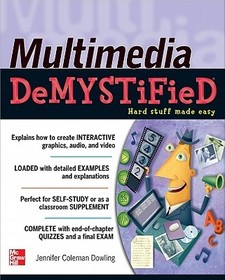
Multimedia Demystified
Sorozatcím: CONSUMER APPL & HARDWARE - OMG;
-
10% KEDVEZMÉNY?
- A kedvezmény csak az 'Értesítés a kedvenc témákról' hírlevelünk címzettjeinek rendeléseire érvényes.
- Kiadói listaár GBP 19.99
-
9 025 Ft (8 595 Ft + 5% áfa)
Az ár azért becsült, mert a rendelés pillanatában nem lehet pontosan tudni, hogy a beérkezéskor milyen lesz a forint árfolyama az adott termék eredeti devizájához képest. Ha a forint romlana, kissé többet, ha javulna, kissé kevesebbet kell majd fizetnie.
- Kedvezmény(ek) 10% (kb. 903 Ft)
- Kedvezményes ár 8 122 Ft (7 736 Ft + 5% áfa)
Iratkozzon fel most és részesüljön kedvezőbb árainkból!
Feliratkozom
9 025 Ft

Beszerezhetőség
Becsült beszerzési idő: A Prosperónál jelenleg nincsen raktáron, de a kiadónál igen. Beszerzés kb. 3-5 hét..
A Prosperónál jelenleg nincsen raktáron.
Why don't you give exact delivery time?
A beszerzés időigényét az eddigi tapasztalatokra alapozva adjuk meg. Azért becsült, mert a terméket külföldről hozzuk be, így a kiadó kiszolgálásának pillanatnyi gyorsaságától is függ. A megadottnál gyorsabb és lassabb szállítás is elképzelhető, de mindent megteszünk, hogy Ön a lehető leghamarabb jusson hozzá a termékhez.
A termék adatai:
- Kiadó McGraw-Hill Education
- Megjelenés dátuma 2012. január 16.
- ISBN 9780071770644
- Kötéstípus Puhakötés
- Terjedelem352 oldal
- Méret 233x185x17 mm
- Súly 613 g
- Nyelv angol 0
Kategóriák
Hosszú leírás:
Publisher's Note: Products purchased from Third Party sellers are not guaranteed by the publisher for quality, authenticity, or access to any online entitlements included with the product.
Learn cutting-edge MULTIMEDIA skills!
Discover how to create impressive multimedia projects using state-of-the-art tools and techniques. Multimedia Demystified is filled with information on the latest technologies, as well as design and production guidelines.
This practical guide provides a background on multimedia and then delves into the elements that make up a successful multimedia project. You'll learn about software and hardware tools, digital photography, sound editing, web authoring with HTML, vector graphics, file formats, computer animation, and much more. Detailed examples and concise explanations make it easy to understand the material, and end-of-chapter quizzes and a final exam help reinforce key concepts.
It's a no-brainer! You'll learn about:
- Graphics, images, text, and typography
- 2D and 3D animation
- Music, sound effects, and video
- Authoring for multimedia functionality
- Software and hardware
- Delivering the final project to the intended audience
Simple enough for a beginner, but challenging enough for an advanced student, Multimedia Demystified helps you master this marketable skill.
Publisher's Note: Products purchased from Third Party sellers are not guaranteed by the publisher for quality, authenticity, or access to any online entitlements included with the product.
Learn cutting-edge MULTIMEDIA skills!
Discover how to create impressive multimedia projects using state-of-the-art tools and techniques. Multimedia Demystified is filled with information on the latest technologies, as well as design and production guidelines.
This practical guide provides a background on multimedia and then delves into the elements that make up a successful multimedia project. You'll learn about software and hardware tools, digital photography, sound editing, web authoring with HTML, vector graphics, file formats, computer animation, and much more. Detailed examples and concise explanations make it easy to understand the material, and end-of-chapter quizzes and a final exam help reinforce key concepts.
It's a no-brainer! You'll learn about:
- Graphics, images, text, and typography
- 2D and 3D animation
- Music, sound effects, and video
- Authoring for multimedia functionality
- Software and hardware
- Delivering the final project to the intended audience
Simple enough for a beginner, but challenging enough for an advanced student, Multimedia Demystified helps you master this marketable skill.
TöbbTartalomjegyzék:
PART ONE: Multimedia Overview: What It’s All About
I.Introduction to Multimedia
A.What is Multimedia?
B.A Concise History of Multimedia
1.Early Multimedia Computing
2.Hypermedia and Hypertext
C.Combining Content from Various Media
D.Linear vs. Interactive Multimedia
1.Linear Multimedia
2.Nonlinear Interactive Multimedia
3.Kinds of Multimedia
E.Let’s Get Technical
F.Analog-to-Digital Evolution
II.The Purpose and Application of Multimedia
A.Benefits of Interactive Presentations
1.Avoiding Potential Pitfalls
B.Uses of Multimedia
C.Planning Stages and Development Process
1.Roles and Responsibilities of the Multimedia Team2.Information Architecture
3.Copyright Issues: Securing Permission for Media UsageD.Tools Required for Creating and Preparing Media E.Making it Functional and Interactive F.Finalizing, Testing, and Delivering Multimedia
PART TWO: Kinds Of Media: The Essential Components
III.Graphics and Images
A.Designing Vector Graphics
B.Creating Raster Images
1.Pixel-Based Displays
2.Working with Raster Graphics
C.Scanning and Resolution
D.Digital Photography
E.Clip Art and Stock Images
F.File Formats for Screen Display
G.Color Theory: Pigment vs. Pixels
1.CMYK and the Subtractive Color Model
2.RGB and the Additive Color Model
3.Color for Digital Displays
IV.Text and Typography
A.Text Defined
1.Typing, Texting, and Emailing
B.Words and Copywriting: How to Write Effective Content
C.Typography
1.Fonts and Styles
a.Serif vs. Sans Serif
2.Typographic Treatment: Designing with Type
3.Placement and Arrangement of Type
D.Preparing Text for the Screen: Amount and Legibility/Readability
1.Type Sizes and Styles for the Screen
2.Screen vs. Print
3.Type on the Web
V.Animation
A.Animation in Multimedia
1.Functions of Moving Images
2.Advantages and Disadvantages of Animation
3.Interactive Animation
4.Kinds of Animation: Categorizing and Evaluating
B.Traditional Animation Overview
1.Principles of Animation
C.Concept Development and Storyboarding
D.Differences Between 2D and 3D Animation
1.2D Computer Animation: Frame-By-Frame and Tweening
2.3D Animation: Modeling, Ray Tracing, and Rendering
E.Animation Files and Formats
VI.Audio: Music and Sound Effects
A.Audio Fundamentals
1.Mechanics of Sound
2.Analog and Digital Audio
B.Recording vs. Importing Audio
1.Amplitude, Frequency, and Sampling Rates
C.MIDI and Digital Music
D.Editing and Manipulating Audio Tracks
E.Audio File Formats and Compression Schemes
1.Audio File Types
2.Storage Options
F.Using Sound in Multimedia Projects
1.Web Site Audio
2.Mobile Device Audio
VII.Video: Recording and Manipulating Moving Images
A.Video Mechanics
B.Video in Multimedia
C.Analog and Digital Video
1.Composite vs. Component Signals
2.Analog-to-Digital Conversion
3.Video Resolution
D.Shooting or Obtaining Video
1.Recording Raw Footage
2.Capturing Directly from TV
3.Importing Video to Computer
4.Acquiring Video Clips
E.Display Standards and Playback Options
F.Editing and Manipulating Video
G.Video File Formats and Compression Schemes
1.Video File Types
2.Storage and Memory
H.Using Video in Multimedia Projects
VIII.Authoring for Multimedia Functionality
A.Programming and Scripting to Create Interactive Environments
B.Tools for Authoring
1.Tool Selection Considerations
2.Bandwidth for Web Projects
C.Web Authoring with HTML
1.HTML Tags
2.JavaScript Programming
3.Web Page Formatting with CSS
4.Web Standards and Guidelines
D.Interactive Design
1.Graphical User Interfaces
2.Screen Layout and Arrangement of Elements
PART THREE: Tools For Creating Multimedia Projects: Hardware and Software Needed To Make It Happen
IX.Hardware and Equipment Options
A.Multimedia Project Equipment Setup
B.Input Devices
1.Mice, Digitizing Tablets, and Trackpads
2.Keyboards
3.Scanners
4.Image and Motion Capture
5.Microphones
6.Touchscreens and Fingerprinting Technology
7.Digital Audio Recorders
C.Output: Displays and Screens
1.Dual Monitors
2.Speakers and Headphones
D.Data Storage
1.Internal Drives
2.External USB Drives and Large Capacity Hard Disks
3.Online and Networked Storage
E.Computing Platforms
1.Desktop Computers
2.Mobile Devices and Operating Systems
X.Software for Multimedia
A.Multimedia Software Options
B.Vector Graphics: Illustration and Line Art
C.Digital Imaging: Photography and Bitmapped Images
1.Screen Captures and Recordings
D.Page Layout and Typography
E.Animation and Motion Graphics
F.Audio and Video Recording and Editing
G.Authoring and Web Design
H.Presentations
I.Media Players
PART FOUR: Multimedia End Products: Putting It All Together
XI.Multimedia Projects
A.Categorizing Multimedia Uses
B.Presentations
C.Video and Animation
D.Educational and Training Programs
E.Web Sites
F.Apps and Mini Software Programs
G.Video Games
H.Noteworthy Gadgets and Devices
XII.Delivery Systems
A.Multimedia Product Maintenance
B.Troubleshooting and User-testing
C.Disk vs. Web Preparation
D.Presentation Options
1.Portable or Permanent Displays
2.Kiosks
3.Projection
4.Multiple Screens
5.Interactive Whiteboards
6.Touch Screen TVs and Handheld Devices
7.E-Readers
8.Video Game Consoles
E.Delivering Multimedia
Final Exam
Web Resources
Index

