

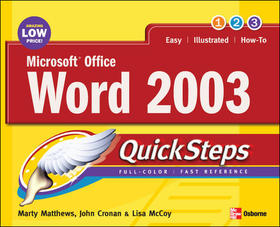
Microsoft Office Word 2003 QuickSteps
Sorozatcím: QuickSteps;
-
10% KEDVEZMÉNY?
- A kedvezmény csak az 'Értesítés a kedvenc témákról' hírlevelünk címzettjeinek rendeléseire érvényes.
- Kiadói listaár GBP 12.99
-
5 864 Ft (5 585 Ft + 5% áfa)
Az ár azért becsült, mert a rendelés pillanatában nem lehet pontosan tudni, hogy a beérkezéskor milyen lesz a forint árfolyama az adott termék eredeti devizájához képest. Ha a forint romlana, kissé többet, ha javulna, kissé kevesebbet kell majd fizetnie.
- Kedvezmény(ek) 10% (cc. 586 Ft off)
- Kedvezményes ár 5 278 Ft (5 027 Ft + 5% áfa)
Iratkozzon fel most és részesüljön kedvezőbb árainkból!
Feliratkozom
5 864 Ft

Beszerezhetőség
Bizonytalan a beszerezhetőség. Érdemes még egyszer keresni szerzővel és címmel. Ha nem talál másik, kapható kiadást, forduljon ügyfélszolgálatunkhoz!
Why don't you give exact delivery time?
A beszerzés időigényét az eddigi tapasztalatokra alapozva adjuk meg. Azért becsült, mert a terméket külföldről hozzuk be, így a kiadó kiszolgálásának pillanatnyi gyorsaságától is függ. A megadottnál gyorsabb és lassabb szállítás is elképzelhető, de mindent megteszünk, hogy Ön a lehető leghamarabb jusson hozzá a termékhez.
A termék adatai:
- Kiadó McGraw-Hill Education
- Megjelenés dátuma 2005. január 16.
- ISBN 9780072258608
- Kötéstípus Puhakötés
- Terjedelem224 oldal
- Méret 251x203x11 mm
- Súly 567 g
- Nyelv angol 0
Kategóriák
Rövid leírás:
Learn instantly from step-by-step graphics!
We know a picture is worth a thousand words--so we went heavy on pictures and light on words in this easy-to-use guide. Color screenshots and brief instructions show you how to use all of Microsoft Word?s features in no time. Follow along and learn to format text, add graphics, use templates, track and merge comments, create mailing labels, design a great-looking resume, and much more. Each chapter?s ?How to? list and color-coded tabs make it easy to flip straight to the tasks you need to do. Get the book that gets you started using Word 2003 right away. In each chapter:
- Shortcuts for accomplishing common tasks
- Need-to-know facts in concise narrative
- Helpful reminders or alternate ways of doing things
- Bonus information related to the topic being covered
- Errors and pitfalls to avoid
Screenshots with callouts show and explain exactly what you?ll see on your computer screen while you?re doing a task
Marty Matthews has more than 40 years of computing experience and has written more than 60 books, including Windows XP QuickSteps, Microsoft Office Outlook 2003 QuickSteps, and Windows XP: A Beginner?s Guide.
John Cronan has more than 25 years of computer experience and has been writing and editing computer-related books for more than12 years. His recent books include Microsoft Office Excel 2003 QuickSteps, Microsoft Office Access 2003 QuickSteps, and eBay QickSteps.
Lisa McCoy has written and edited books for more than eight years and in a wide range of industries, including computer-related books. She has contributed to a number of books in the QuickSteps series.
Több
