

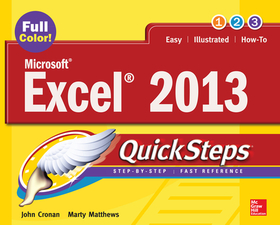
Microsoft? Excel? 2013 QuickSteps
Sorozatcím: QuickSteps;
-
10% KEDVEZMÉNY?
- A kedvezmény csak az 'Értesítés a kedvenc témákról' hírlevelünk címzettjeinek rendeléseire érvényes.
- Kiadói listaár GBP 20.99
-
9 476 Ft (9 025 Ft + 5% áfa)
Az ár azért becsült, mert a rendelés pillanatában nem lehet pontosan tudni, hogy a beérkezéskor milyen lesz a forint árfolyama az adott termék eredeti devizájához képest. Ha a forint romlana, kissé többet, ha javulna, kissé kevesebbet kell majd fizetnie.
- Kedvezmény(ek) 10% (cc. 948 Ft off)
- Kedvezményes ár 8 529 Ft (8 123 Ft + 5% áfa)
Iratkozzon fel most és részesüljön kedvezőbb árainkból!
Feliratkozom
9 476 Ft

Beszerezhetőség
A kiadónál véglegesen elfogyott, nem rendelhető. Érdemes újra keresni a címmel, hátha van újabb kiadás.
Why don't you give exact delivery time?
A beszerzés időigényét az eddigi tapasztalatokra alapozva adjuk meg. Azért becsült, mert a terméket külföldről hozzuk be, így a kiadó kiszolgálásának pillanatnyi gyorsaságától is függ. A megadottnál gyorsabb és lassabb szállítás is elképzelhető, de mindent megteszünk, hogy Ön a lehető leghamarabb jusson hozzá a termékhez.
A termék adatai:
- Kiadás sorszáma 3
- Kiadó McGraw-Hill Education
- Megjelenés dátuma 2013. május 16.
- ISBN 9780071805896
- Kötéstípus Puhakötés
- Terjedelem288 oldal
- Méret 254x200x12 mm
- Súly 553 g
- Nyelv angol 0
Kategóriák
Rövid leírás:
Full-color, step-by-step guide to the new release of the world?s most popular spreadsheet application
TöbbHosszú leírás:
Publisher's Note: Products purchased from Third Party sellers are not guaranteed by the publisher for quality, authenticity, or access to any online entitlements included with the product.
Full-color, step-by-step guide to the new release of the world?s most popular spreadsheet application
Get up and running with Excel 2013 right away--the QuickSteps way. Full-color screenshots on every page with clear instructions make it easy to use the latest release of Microsoft's powerful spreadsheet application. Follow along and quickly learn how to create workbooks, enter and edit data, use formulas and functions, create charts and tables, analyze data, extend Excel, and more. This practical, fast-paced guide gets you started in no time!
Use these handy guideposts:
- Shortcuts for accomplishing common tasks
- Need-to-know facts in concise narrative
- Helpful reminders or alternate ways of doing things
- Bonus information related to the topic being covered
- Errors and pitfalls to avoid
The unique, landscape-oriented layout of the QuickSteps series mimics your computer screen, displays graphics and explanations side by side, and lays flat so you can easily refer to the book while working on your computer.
Publisher's Note: Products purchased from Third Party sellers are not guaranteed by the publisher for quality, authenticity, or access to any online entitlements included with the product.
Full-color, step-by-step guide to the new release of the world?s most popular spreadsheet application
Get up and running with Excel 2013 right away--the QuickSteps way. Full-color screenshots on every page with clear instructions make it easy to use the latest release of Microsoft's powerful spreadsheet application. Follow along and quickly learn how to create workbooks, enter and edit data, use formulas and functions, create charts and tables, analyze data, extend Excel, and more. This practical, fast-paced guide gets you started in no time!
Use these handy guideposts:
- Shortcuts for accomplishing common tasks
- Need-to-know facts in concise narrative
- Helpful reminders or alternate ways of doing things
- Bonus information related to the topic being covered
- Errors and pitfalls to avoid
The unique, landscape-oriented layout of the QuickSteps series mimics your computer screen, displays graphics and explanations side by side, and lays flat so you can easily refer to the book while working on your computer.
TöbbTartalomjegyzék:
1. Stepping into Excel
2. Entering and Editing
3. Data Formatting a Worksheet
4. Using Formulas and Functions
5. Printing Data
6. Charting Data
7. Working with Graphic
8. Managing Data
9. Analyzing and Sharing Data
10. Extending Excel

