

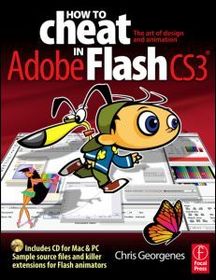
-
10% KEDVEZMÉNY?
- Kiadói listaár GBP 25.99
-
11 734 Ft (11 175 Ft + 5% áfa)
Az ár azért becsült, mert a rendelés pillanatában nem lehet pontosan tudni, hogy a beérkezéskor milyen lesz a forint árfolyama az adott termék eredeti devizájához képest. Ha a forint romlana, kissé többet, ha javulna, kissé kevesebbet kell majd fizetnie.
- Kedvezmény(ek) 10% (kb. 1 174 Ft)
- Kedvezményes ár 10 560 Ft (10 058 Ft + 5% áfa)
10 560 Ft

Beszerezhetőség
A kiadónál véglegesen elfogyott, nem rendelhető. Érdemes újra keresni a címmel, hátha van újabb kiadás.
Why don't you give exact delivery time?
A beszerzés időigényét az eddigi tapasztalatokra alapozva adjuk meg. Azért becsült, mert a terméket külföldről hozzuk be, így a kiadó kiszolgálásának pillanatnyi gyorsaságától is függ. A megadottnál gyorsabb és lassabb szállítás is elképzelhető, de mindent megteszünk, hogy Ön a lehető leghamarabb jusson hozzá a termékhez.
A termék adatai:
- Kiadás sorszáma 1
- Kiadó Focal Press
- Megjelenés dátuma 2007. augusztus 10.
- ISBN 9780240520582
- Kötéstípus Puhakötés
- Terjedelem280 oldal
- Méret 247x190 mm
- Súly 753 g
- Nyelv angol
- Illusztrációk Approx. 1100 illustrations 0
Kategóriák
Rövid leírás:
Frustrated by the overwhelming nature of Flash? Want to get up to speed with the program fast so you can concentrate on your animation? Need to solve problems quickly to get work done to time and to budget? This book provides tips and tricks based on real life working methods to help you work faster and efficiently with Flash.
TöbbHosszú leírás:
Frustrated by the overwhelming nature of Flash?
Want to get up to speed with the program fast so you can concentrate on your animation?
Need to solve problems quickly to get work done to time and to budget?
Then 'How to Cheat in Flash' is for you!
This book is different from the rest because it shows you, step by step, how to work from the problem to the solution when creating Flash animations, from the viewpoint of an animator who has been commissioned to create a job and is working to a deadline.
It is task orientated; every example shows real life commercial work. So, it's not so much a case of 'what does this filter/tool/option do?', as 'this is the task I've been set - how do I achieve it?' The solution may involve a variety of tools and techniques; it may take many steps to complete, or only a few. The free CD-Rom includes all the files you need to put your skills into practice as you read, and much more!
It's an accessible (conversational in style), practical book and CD package which also provides artistic inspiration, a goldmine of timesaving practical tips, tricks and step-by-step workthroughs. You will wonder how you survived without it.
'A must read book from one of the true masters of the art of Flash design and animation.'
Eric Mueller, Sr. Software Eng., Advanced Technology Labs, Adobe Systems.
Frustrated by the overwhelming nature of Flash?
Want to get up to speed with the program fast so you can concentrate on your animation?
Need to solve problems quickly to get work done to time and to budget?
Then 'How to Cheat in Flash' is for you!
This book is different from the rest because it shows you, step by step, how to work from the problem to the solution when creating Flash animations, from the viewpoint of an animator who has been commissioned to create a job and is working to a deadline.
It is task orientated; every example shows real life commercial work. So, it's not so much a case of 'what does this filter/tool/option do?', as 'this is the task I've been set - how do I achieve it?' The solution may involve a variety of tools and techniques; it may take many steps to complete, or only a few. The free CD-Rom includes all the files you need to put your skills into practice as you read, and much more!
It's an accessible (conversational in style), practical book and CD package which also provides artistic inspiration, a goldmine of timesaving practical tips, tricks and step-by-step workthroughs. You will wonder how you survived without it.
Tartalomjegyzék:
1. Design Styles
. Drawing with basic shapes
. The brush tool
. Mixing colors
. Using gradients
. Adding texture
. The pen tool
. Trace bitmap
. Cell style shading
. Realism with gradients
. Interlude: The new Flash interface
2. Transformation and Distortion
. Distorting bitmaps
. The Envelope tool
. Warping
. Card flip
. Squash and stretch
. Interlude: Being subtle
3. Masking
. Rotating globe
. Flag waving
. Iris transition
. Handwriting
. Spotlight
. Focus
. Interlude: A moment of clarity
4. Motion tips & tricks
. Basic shadow
. Drop shadow
. Perspective shadow
. Blur filter
. Flying text
. Combining effects
. Blur filter
. Selective blurring
. Background blurring
. Interlude: Learning to be simple
5. Character animation
. 2.5D basics
. 2.5D advanced
. 2.5D monkey
. Lip syncing (swap method)
. Lip syncing (nested method)
. To sync or not to sync
. Bitmap animation (Jib Jab Media)
. PSD Importer (Jib Jab Media)
. Motion guides (Jib Jab Media)
. Hinging body parts
. Closing the gaps
. Walk cycle (basic)
. Walk cycle (advanced)
. Anticipation
. Interlude:How did I get here?
6. Flash to video
. Document setup
. Title and action safety
. Safe colors
. Keeping it all in sync
. Quicktime Exporter
. SWF2Video
. Interlude: Graphics tablets
7. Animation examples
. Bouncing ball 9squash and stretch)
. Wavy line
. Orbit
. Scroll
. Vertigo
. Rvad
. Page turn
. Smoke
. Fire
. Rain
. Fireworks
. Star Wars text
. Scrolling background
. Soft reveal
. TV static
. Superbusy text effect
. 3D column
. Filter effects
. Conveyor belt
. Interlude:
8. Working with sound
. Recording sounds
. Sound effect resources
. Preparing sounds
. Sound events
. Editing sound in Flash
. Controlling sound with actionScript
. Sounds and scenes
. Interlude:
9. FLV Video
. Preparing FLV files
. Importing into Flash
. Media Component
. Rotoscoping
. Image sequence
. Interlude:
10. Interactivity
. Buttons
. Pause/start
. Looping timelines
. Jumping to frames
. Loading external content
. Interlude:
11. Flashlite
. Flashlite player
. Flashlite screensaver
. Flashlite wallpaper
. Interlude:
12. Extending Flash
. JSFL introduction
. Autocolor (Dave Logan)
. Animslider Pro (Warren Fuller)
. iK' Motion (Newpixel)
. Flash Camera
. Interlude: The new Flash interface

