

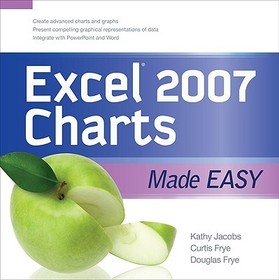
EXCEL 2007 CHARTS MADE EASY
-
10% KEDVEZMÉNY?
- A kedvezmény csak az 'Értesítés a kedvenc témákról' hírlevelünk címzettjeinek rendeléseire érvényes.
- Kiadói listaár GBP 28.99
-
13 088 Ft (12 465 Ft + 5% áfa)
Az ár azért becsült, mert a rendelés pillanatában nem lehet pontosan tudni, hogy a beérkezéskor milyen lesz a forint árfolyama az adott termék eredeti devizájához képest. Ha a forint romlana, kissé többet, ha javulna, kissé kevesebbet kell majd fizetnie.
- Kedvezmény(ek) 10% (cc. 1 309 Ft off)
- Kedvezményes ár 11 779 Ft (11 219 Ft + 5% áfa)
Iratkozzon fel most és részesüljön kedvezőbb árainkból!
Feliratkozom
13 088 Ft

Beszerezhetőség
Bizonytalan ideig nincs raktáron a kiadónál, rendelése nem javasolt.
Why don't you give exact delivery time?
A beszerzés időigényét az eddigi tapasztalatokra alapozva adjuk meg. Azért becsült, mert a terméket külföldről hozzuk be, így a kiadó kiszolgálásának pillanatnyi gyorsaságától is függ. A megadottnál gyorsabb és lassabb szállítás is elképzelhető, de mindent megteszünk, hogy Ön a lehető leghamarabb jusson hozzá a termékhez.
A termék adatai:
- Kiadó McGraw Hill
- Megjelenés dátuma 2008. december 16.
- ISBN 9780071600064
- Kötéstípus Puhakötés
- Terjedelem207 oldal
- Méret 200x198x10 mm
- Súly 453 g
- Nyelv angol 0
Kategóriák
Rövid leírás:
This clear, example-driven book teaches you how to get beyond simple pie and bar charts to create a variety of impressive-looking charts.
TöbbHosszú leírás:
Publisher's Note: Products purchased from Third Party sellers are not guaranteed by the publisher for quality, authenticity, or access to any online entitlements included with the product.
Get beyond the basics with Excel 2007 charts
Now you can take your Excel charting skills to the next level with help from this hands-on guide. Excel 2007 Charts Made Easy shows you how to upgrade from simple pie and bar charts to rich data visualization using the full range of charts available in the latest version of the software. Discover how easy it is to create custom charts with compelling effects and to display data in more meaningful ways.
- Manually format chart components
- Show trends in your data with line charts
- Combine line and pie charts to create area charts
- Plot data using scatter charts and bubble charts
- Create and format stock charts
- Connect three data points with a surface chart
- Display the relationship between various data series using doughnut charts
- Compare data values with radar charts
- Use PivotTables and PivotCharts to work with dynamic data
- Incorporate Excel charts into Word documents and PowerPoint presentations
Publisher's Note: Products purchased from Third Party sellers are not guaranteed by the publisher for quality, authenticity, or access to any online entitlements included with the product.
Get beyond the basics with Excel 2007 charts
Now you can take your Excel charting skills to the next level with help from this hands-on guide. Excel 2007 Charts Made Easy shows you how to upgrade from simple pie and bar charts to rich data visualization using the full range of charts available in the latest version of the software. Discover how easy it is to create custom charts with compelling effects and to display data in more meaningful ways.
- Manually format chart components
- Show trends in your data with line charts
- Combine line and pie charts to create area charts
- Plot data using scatter charts and bubble charts
- Create and format stock charts
- Connect three data points with a surface chart
- Display the relationship between various data series using doughnut charts
- Compare data values with radar charts
- Use PivotTables and PivotCharts to work with dynamic data
- Incorporate Excel charts into Word documents and PowerPoint presentations
Több
Tartalomjegyzék:
Acknowledgments
Introduction
Chapter 1: Creating and Formatting a Basic Column Chart
Chapter 2: Creating and Formatting a Basic Bar Chart
Chapter 3: Creating and Formatting a Basic Line Chart
Chapter 4: Creating and Formatting a Basic Pie Chart
Chapter 5: Creating and Formatting a Basic Area Chart
Chapter 6: Creating and Formatting a Scatter Chart
Chapter 7: Creating and Formatting a Stock Chart
Chapter 8: Creating and Formatting a Surface Chart
Chapter 9: Creating and Formatting a Doughnut Chart
Chapter 10: Creating and Formatting a Bubble Chart
Chapter 11: Creating and Formatting a Radar Chart
Chapter 12: Creating a PivotChart
Chapter 13: Creating Charts for Use in Word and PowerPoint
Chapter 14: Printing Charts
Index

