

Adobe Photoshop Elements 5.0 A-Z
Tools and features illustrated ready reference
-
10% KEDVEZMÉNY?
- Kiadói listaár GBP 17.99
-
8 122 Ft (7 735 Ft + 5% áfa)
Az ár azért becsült, mert a rendelés pillanatában nem lehet pontosan tudni, hogy a beérkezéskor milyen lesz a forint árfolyama az adott termék eredeti devizájához képest. Ha a forint romlana, kissé többet, ha javulna, kissé kevesebbet kell majd fizetnie.
- Kedvezmény(ek) 10% (kb. 812 Ft)
- Kedvezményes ár 7 310 Ft (6 962 Ft + 5% áfa)
7 310 Ft

Beszerezhetőség
A kiadónál véglegesen elfogyott, nem rendelhető. Érdemes újra keresni a címmel, hátha van újabb kiadás.
Why don't you give exact delivery time?
A beszerzés időigényét az eddigi tapasztalatokra alapozva adjuk meg. Azért becsült, mert a terméket külföldről hozzuk be, így a kiadó kiszolgálásának pillanatnyi gyorsaságától is függ. A megadottnál gyorsabb és lassabb szállítás is elképzelhető, de mindent megteszünk, hogy Ön a lehető leghamarabb jusson hozzá a termékhez.
A termék adatai:
- Kiadó Focal Press
- Megjelenés dátuma 2007. január 24.
- ISBN 9780240520612
- Kötéstípus Puhakötés
- Terjedelem256 oldal
- Méret 246x189 mm
- Súly 712 g
- Nyelv angol 0
Kategóriák
Hosszú leírás:
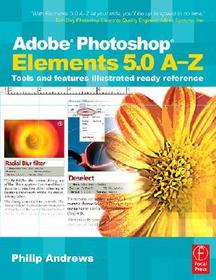
If you are a digital camera enthusiast jumping into enhancement and manipulation, and looking for quick answers, this easy-to use, ready reference is for you. It's like having the author Philip Andrews sitting next to you, with his no-nonsense style, giving you practical, hands-on tips for getting striking images using Elements 5.0.
Make the most of your digital photos with these guidelines from one artist to another. Philip's clear, full color screen grabs detail step-by-step features in action-in a real-world context. All content is completely revised and updated for Photoshop Elements 5.0.
With its clear and simple column format, you quickly learn how to troubleshoot as you develop your creations that will awe your colleagues, clients, family, and friends. Color-coded tabs make it easy to locate each tool and feature; each entry is cross-referenced to help you build a fuller understanding of how to use a tool, feature, menu, or invaluable shortcut key.
Packed with more than 1500 color images, insider tips, workarounds, and hidden gotchas, this book comes with FREE matching video tutorials for all editing and enhancement tasks featured in the book provided on a companion website (www.ElementsA-Z.com). Practice with the downloadable images and support material to put your new skills to use immediately. No more searching for an accompanying CD the resources and video tutorials are always available via the website no matter where you are.
Philip Andrews is a professional photographer, accomplished teacher, and best-selling international author. He is an alpha tester for the software and a Photoshop Elements Ambassador, making him one of Adobe's most trusted authors.
* Discover and master the tools and features in Adobe Photoshop Elements 5.0 with this stunningly illustrated, full-color reference guide
* Have Philip "sitting next to you,? with this handy guide, written in his trademark no-nonsense style as he delivers hands-on tactics for Elements 5.0.
* Save time when trying to understand a function or tool-simply dip in and find the listing in this easy-to-use A-Z format
* Gain confidence with new features whether you're a beginner or intermediate
* Covers all the new features of Elements 5.0 and also can be used with any version of the software
"This book is the ideal companion for anyone new to the program, or who simply needs a quick point of reference when completing tasks and projects. The A-Z format is very helpful and enables you to find an answer to almost any question in a flash. There are handy edge tabs to help you locate your required letter with ease. A lot of thought has gone into the usability of the book, and it really pays off. The pages include before-and-after diagrams, flag up new features in the software and even provide links to the book's website for more in-depth tutorials. We found the step-by-steps at the front particularly helpful, covering 27 of the most common tasks you'd want to know about. Overall this a perfect aid to anyone who wants to improve their knowledge of Elements 5.0 with minimum fuss and effort" - Photoshop Creative
If you are a digital camera enthusiast jumping into enhancement and manipulation, and looking for quick answers, this easy-to use, ready reference is for you. It's like having the author Philip Andrews sitting next to you, with his no-nonsense style, giving you practical, hands-on tips for getting striking images using Elements 5.0.
Make the most of your digital photos with these guidelines from one artist to another. Philip's clear, full color screen grabs detail step-by-step features in action-in a real-world context. All content is completely revised and updated for Photoshop Elements 5.0.
With its clear and simple column format, you quickly learn how to troubleshoot as you develop your creations that will awe your colleagues, clients, family, and friends. Color-coded tabs make it easy to locate each tool and feature; each entry is cross-referenced to help you build a fuller understanding of how to use a tool, feature, menu, or invaluable shortcut key.
Packed with more than 1500 color images, insider tips, workarounds, and hidden gotchas, this book comes with FREE matching video tutorials for all editing and enhancement tasks featured in the book provided on a companion website (www.ElementsA-Z.com). Practice with the downloadable images and support material to put your new skills to use immediately. No more searching for an accompanying CD the resources and video tutorials are always available via the website no matter where you are.
Philip Andrews is a professional photographer, accomplished teacher, and best-selling international author. He is an alpha tester for the software and a Photoshop Elements Ambassador, making him one of Adobe's most trusted authors.
* Discover and master the tools and features in Adobe Photoshop Elements 5.0 with this stunningly illustrated, full-color reference guide
* Have Philip "sitting next to you,? with this handy guide, written in his trademark no-nonsense style as he delivers hands-on tactics for Elements 5.0.
* Save time when trying to understand a function or tool-simply dip in and find the listing in this easy-to-use A-Z format
* Gain confidence with new features whether you're a beginner or intermediate
* Covers all the new features of Elements 5.0 and also can be used with any version of the software

