

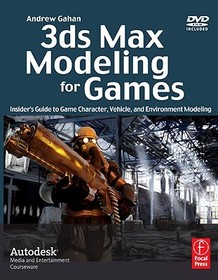
3ds Max Modeling for Games
Insider's Guide to Game Character, Vehicle, and Environment Modeling: Volume I
-
10% KEDVEZMÉNY?
- Kiadói listaár GBP 30.99
-
14 805 Ft (14 100 Ft + 5% áfa)
Az ár azért becsült, mert a rendelés pillanatában nem lehet pontosan tudni, hogy a beérkezéskor milyen lesz a forint árfolyama az adott termék eredeti devizájához képest. Ha a forint romlana, kissé többet, ha javulna, kissé kevesebbet kell majd fizetnie.
- Kedvezmény(ek) 10% (cc. 1 481 Ft off)
- Kedvezményes ár 13 325 Ft (12 690 Ft + 5% áfa)
13 325 Ft

Beszerezhetőség
A kiadónál véglegesen elfogyott, nem rendelhető. Érdemes újra keresni a címmel, hátha van újabb kiadás.
Why don't you give exact delivery time?
A beszerzés időigényét az eddigi tapasztalatokra alapozva adjuk meg. Azért becsült, mert a terméket külföldről hozzuk be, így a kiadó kiszolgálásának pillanatnyi gyorsaságától is függ. A megadottnál gyorsabb és lassabb szállítás is elképzelhető, de mindent megteszünk, hogy Ön a lehető leghamarabb jusson hozzá a termékhez.
A termék adatai:
- Kiadás sorszáma 1
- Kiadó Focal Press
- Megjelenés dátuma 2008. szeptember 26.
- ISBN 9780240810614
- Kötéstípus Puhakötés
- Terjedelem336 oldal
- Méret 233x189 mm
- Súly 807 g
- Nyelv angol 0
Kategóriák
Hosszú leírás:
The book will provide insider tips, traps, and techniques on how to create 3d assets for use in computer games and simulation systems. The book will consist of a series of tutorials, starting with simpler models and moving up to more complex builds. As the book comes to us directly from successful game artists within commercial game development circles (Gahan + contributors) aspiring game artists will also find keen insights on how to get ahead in the game industry, i.e. how to prepare your personal portfolio to provide an edge in this extremely competitive world of game development.
The strength of this book is that it teaches all of the important game modeling elements of 3ds Max: character modeling, environment modeling, mapping. The book covers how to model, texture and animate credible game characters and levels using 3ds max. As readers move from tutorial to tutorial, they will be building their own portfolio of high quality work.
The DVD contains countless examples of what's hot and what's not in 3D modeling and also enough support images and photos to keep the budding artist busy for months; Features:
-step-by-step project files for each chapter
-all the relevant texture files and source photos used to create the texture maps applied to the 3D projects.
-extras: panoramic skies, small scene objects and a many texture maps and models so that artists can create whole scenes very quickly without starting from scratch each time.
-royalty free stock photos that artists can use in their own texture maps, models and scenes.
-additional material on the book's bonus website at www.3d-for-games.com
The book will provide insider tips, traps, and techniques on how to create 3d assets for use in computer games and simulation systems. The book will consist of a series of tutorials, starting with simpler models and moving up to more complex builds. As the book comes to us directly from successful game artists within commercial game development circles (Gahan + contributors) aspiring game artists will also find keen insights on how to get ahead in the game industry, i.e. how to prepare your personal portfolio to provide an edge in this extremely competitive world of game development.
The strength of this book is that it teaches all of the important game modeling elements of 3ds Max: character modeling, environment modeling, mapping. The book covers how to model, texture and animate credible game characters and levels using 3ds max. As readers move from tutorial to tutorial, they will be building their own portfolio of high quality work.
The DVD contains countless examples of what's hot and what's not in 3D modeling and also enough support images and photos to keep the budding artist busy for months; Features:
-step-by-step project files for each chapter
-all the relevant texture files and source photos used to create the texture maps applied to the 3D projects.
-extras: panoramic skies, small scene objects and a many texture maps and models so that artists can create whole scenes very quickly without starting from scratch each time.
-royalty free stock photos that artists can use in their own texture maps, models and scenes.
-additional material on the book's bonus website at www.3d-for-games.com
Tartalomjegyzék:
Max Modeling for Games
Brief Outline -
This book is an essential guide for the 3D artist using Max who wants to grow into developing 3D content for computer games and simulations.
- Preface -
About the author - Why this book was written - How this book is organised - A short introduction to the guest writers included in the book, who they are, and what they have created. - Chapter 1 - Low poly Asset (30 min tutorial *Introduction to modelling *Setting up 3ds Max *Creating a cardboard box using primitive objects *3ds Max Shortcuts *Texture mapping your box (UV mapping)*Common problems *Rendering your model *Creating a portfolio image *Moving on to Chapter 2
- Chapter 2 - Low poly Asset 2 (1 hour tutorial)*Creating primitive objects *Slice, Extrusion and Scale *Creating simple textures in Photoshop from photos *Applying textures to the model (UV mapping) *Common problems *Rendering your model *Creating a portfolio image *Moving on to Chapter 3
- Chapter 3 - Low poly Asset 3 (2 hour tutorial)*Creating primitive objects *New tools *Creating textures in Photoshop from photos *Applying textures to the model (UV mapping) *Common problems *Rendering your model *Creating a portfolio image *Moving on to Chapter 4
- Chapter 4 - Creating Complex Texture Maps from Photographs *Basic equipment *Taking your own photos *Photoshop *Layers *Crop, Transform, Scale, Rotate, Skew, Distort and Perspective *Making tillable textures *Healing brush, clone stamp and eraser *Levels and Curves *Brightness/Contrast *Hue/Saturation *Common problems *Rendering your texture *Creating a portfolio image *Moving on to Chapter 5
- Chapter 5 - Low poly in-game vehicle *Blueprints/sketch *Image planes *Bonnet *Body *Doors *Roof *Details *Wheel arches *Windows *Wheels *Textures & UV's *Common problems *Rendering your model *Moving on to Chapter 5
- Chapter 6 - Low poly in-game character *Reference material *Starting out *Basic shape *Head and Neck *Adding details *Shoulders *Arms *Joints *Face *Hands *Final details *Common problems *Posing your character *Rendering your model *Moving on to Chapter 7
- Chapter 7 - Low poly in-game Environment *Reference material *Blocking out the basic shapes *Adding detail *Creating the texture maps for the scene *Low poly foliage using alpha maps *Adding existing assets to the scene *Final composition *Simple lighting *Common problems *Rendering your scene *Moving on to Chapter 8
- Chapter 8 - Mid poly in-game Vehicle *Creating Blueprints in Photoshop *Setting up image planes *Tools and the workspace *Starting the model - wings and side *Modeling the front bumper and bonnet *Modeling the rear bumper and boot *Modeling the roof *Tiding up the bodywork *Modeling the Interior *Lights, wing mirrors and handles *Wheel Styles and theory (short section on different techniques) *Hi poly wheel *Normal map / alpha map creation *Low poly wheel *UV mapping the body and texture space usage *Mirroring the body and combining the meshes *Separating the body parts *Any final modeling tweaks *Naming conventions and tiding up the scene *Getting UV's into Photoshop & using layers *Common problems *Rendering your model *Moving on to Chapter 9
- Chapter 9 - Mid poly in-game Character *Collecting reference *Setting up the scene *Building the torso *Arms and legs *Hands and feet *Creating the head *Nose and eyes *Mouth and ears *Final refinements and details *Textures and mapping *Surface detail and maps *Common problems *Rendering your character *Moving on to Chapter 10
- Chapter 10 - Lighting and Rendering *Simple lights *Three point lighting *Shadows *Rendering *Common problems *Re-rendering your previous work *Moving on to Chapter 11
- Chapter 11 - Final Piece *Collecting reference *Setting up the scene *White boxing key elements *Building the scene up using assets you've created *Composition and scale *Adding detail to the walls *Creating the roof *Simple lights *Final touches *Common Problems *Rendering your scene *Moving on to Chapter 12
- Chapter 12 - Putting your portfolio together *What to include *Organising the content *Final presentation *Applying for a job *At the interview

