
• Contact

  • Newsletter

  • About us

  • Delivery options

  • Prospero Book Market Podcast

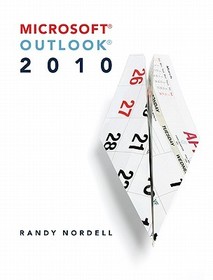
  • Microsoft Outlook 2010

    Microsoft Outlook 2010 by Nordell, Randy;

    Series: CIT;

      • GET 10% OFF

      • The discount is only available for 'Alert of Favourite Topics' newsletter recipients.
      • Publisher's listprice GBP 117.99
      • The price is estimated because at the time of ordering we do not know what conversion rates will apply to HUF / product currency when the book arrives. In case HUF is weaker, the price increases slightly, in case HUF is stronger, the price goes lower slightly.

        56 369 Ft (53 685 Ft + 5% VAT)
      • Discount 10% (cc. 5 637 Ft off)
      • Discounted price 50 732 Ft (48 317 Ft + 5% VAT)

    56 369 Ft

    Availability

    Out of print

    Why don't you give exact delivery time?

    Delivery time is estimated on our previous experiences. We give estimations only, because we order from outside Hungary, and the delivery time mainly depends on how quickly the publisher supplies the book. Faster or slower deliveries both happen, but we do our best to supply as quickly as possible.

    Product details:

    • Publisher McGraw-Hill
    • Date of Publication 16 February 2011

    • ISBN 9780073519289
    • Binding Spiral bound
    • No. of pages448 pages
    • Size 271x233x25 mm
    • Weight 918 g
    • Language English
    • 0

    Categories

    Long description:

    Randy NordellMaking Outlook 2010 Work for You ?A Comprehensive Look at Outlook?With Microsoft Office 2010, Outlook has added valuable new features and has significant enhancements, including the addition of the ribbon format. This textbook, Making Outlook 2010 Work for You by Randy Nordell, provides a comprehensive solution for learning Outlook 2010. While starting with a foundation of E-mail, Calendar, Contacts, and Tasks in the first six chapters, the later half delves deeper into these essential topics to cover the advanced features available in Outlook.Making Outlook 2010 Work for You provides students and instructors with a blended approach of a step-by-step tutorial textbook and a reference text, thus allowing for continued learning both within the course and beyond! This textbook also correlates with SimNet Online, our online training and assessment program for Microsoft Office 2010.

    Randy NordellMaking Outlook 2010 Work for You ?A Comprehensive Look at Outlook?With Microsoft Office 2010, Outlook has added valuable new features and has significant enhancements, including the addition of the ribbon format. This textbook, Making Outlook 2010 Work for You by Randy Nordell, provides a comprehensive solution for learning Outlook 2010. While starting with a foundation of E-mail, Calendar, Contacts, and Tasks in the first six chapters, the later half delves deeper into these essential topics to cover the advanced features available in Outlook.Making Outlook 2010 Work for You provides students and instructors with a blended approach of a step-by-step tutorial textbook and a reference text, thus allowing for continued learning both within the course and beyond! This textbook also correlates with SimNet Online, our online training and assessment program for Microsoft Office 2010.

    More

    Table of Contents:

    Microsoft Outlook 2010

    Chapter 1: Outlook Overview

    Chapter Flyover

    Making Outlook Work For You

    What Is Outlook?

    Working With Outlook

    Navigating Outlook

    What's New in Outlook 2010?

    Outlook As A Stand-Alone Program

    Chapter Highlights

    What Do You Know About Outlook?

    Putting Outlook to Work

    Chapter 2: E-Mail Basics

    Chapter Flyover

    Making Outlook Work For You

    Types Of E-mail Accounts

    Setting Up An E-Mail Account

    Creating, Sending, And Receiving E-Mail

    Handling Attachments

    Understanding Arrangement And Icons

    Cleaning Up Your Inbox

    Chapter Highlights

    What do You Know About Outlook?

    Putting Outlook to Work

    Chapter 3: E-mail Special Features

    Chapter Flyover

    Making Outlook Work For You

    Types of E-Mail Format

    Message Options

    Voting Buttons

    Customize Your E-Mail

    Chapter Highlights

    What Do You Know About Outlook?

    Putting Outlook to Work

    Chapter 4: Contacts

    Chapter Flyover

    Making Outlook Work For You

    What Is A Contact?

    Creating Contacts

    Editing Contact Info

    Changing Views In Contacts

    Using Contacts

    Chapter Highlights

    What Do You Know About Outlook?

    Putting Outlook to Work

    Chapter 5: Calendar

    Chapter Flyover

    Making Outlook Work For You

    Benefits Of An Outlook Calendar

    Calendar Items

    Navigating The Calendar Views

    Creating And Editing Calendar Items

    Creating And Using Meeting Requests

    Chapter Highlights

    What Do You Know About Outlook?

    Putting Outlook to Work

    Chapter 6: Tasks And To-Do Items

    Chapter Flyover

    Making Outlook Work For You

    Understanding Tasks And To-Do Items

    Creating Tasks

    Viewing Tasks And To-Do Items

    Managing Tasks

    Chapter Highlights

    What Do You Know About Outlook?

    Putting Outlook to Work

    Chapter 7: Folders, Rules, Quick Steps, Categories, and Follow Up Flags

    Chapter Flyover

    Making Outlook Work For You

    Using Folders

    Using Rules And Quick Steps

    Using Categories

    Using Follow Up Flags

    Chapter Highlights

    What Do You Know About Outlook?

    Putting Outlook to Work

    Chapter 8: Multiple E-Mail Accounts, Advanced E-Mail Options, and RSS Feeds

    Chapter Flyover

    Making Outlook Work For You

    Setting Up Additional E-Mail Accounts

    Managing Multiple E-Mail Accounts

    Customizing E-Mail Options

    Using RSS Feeds

    Chapter Highlights

    What Do You Know About Outlook?

    Putting Outlook to Work

    Chapter 9: Advanced Contacts

    Chapter Flyover

    Making Outlook Work For You

    Managing Contacts

    Business Cards

    Importing and Exporting

    Using Contacts With Other Microsoft Office Programs

    Chapter Highlights

    What Do You Know About Outlook?

    Putting Outlook to Work

    Chapter 10: Advanced Calendars

    Chapter Flyover

    Making Outlook Work For You

    Using Multiple Calendars

    Calendar Options

    Printing And Sharing An Outlook Calendar

    Advanced Calendar Features

    Chapter Highlights

    What Do You Know About Outlook?

    Putting Outlook to Work

    Chapter 11: Notes, Journal, Search Folders, Shortcuts, and Archiving

    Chapter Flyover

    Making Outlook Work For You

    Using Notes

    Using The Journal

    Using Search Folders

    Using Shortcuts

    Archiving Highlights

    Chapter Highlights

    What Do You Know About Outlook?

    Putting Outlook to Work

    Chapter 12: Sharing, Security, Search and User Interface

    Chapter Flyover

    Making Outlook Work For You

    Sharing Your Outlook With Others

    Security

    Searching For Outlook Items

    Customizing Outlook To Fit Your Needs

    Chapter Highlights

    What Do You Know About Outlook?

    Putting Outlook to Work

    QUICK TIPS AND TROUBLESHOOTING APPENDIX A: SETTING UP OUTLOOK FOR AN ON-STIE OR ONLINE CLASSROOM ENVIRONMENT APPENDIX B: OUTLOOK SHORTCUTS APPENDIX C: OUTLOOK QUICK REFERNCE GUIDE APPENDIX D: EXCHANGE SERVER VERSUS STAND ALONE USAGE GLOSSARY INDEX

    More
    0