

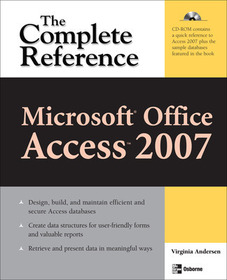
Microsoft Office Access 2007: The Complete Reference
Series: CONSUMER APPL & HARDWARE - OMG;
- Publisher's listprice GBP 27.19
-
12 276 Ft (11 691 Ft + 5% VAT)
The price is estimated because at the time of ordering we do not know what conversion rates will apply to HUF / product currency when the book arrives. In case HUF is weaker, the price increases slightly, in case HUF is stronger, the price goes lower slightly.
- Discount 10% (cc. 1 228 Ft off)
- Discounted price 11 048 Ft (10 522 Ft + 5% VAT)
Subcribe now and take benefit of a favourable price.
Subscribe
12 276 Ft

Availability
Permanently out of stock
Why don't you give exact delivery time?
Delivery time is estimated on our previous experiences. We give estimations only, because we order from outside Hungary, and the delivery time mainly depends on how quickly the publisher supplies the book. Faster or slower deliveries both happen, but we do our best to supply as quickly as possible.
Product details:
- Publisher McGraw Hill
- Date of Publication 16 March 2007
- ISBN 9780072263503
- Binding Paperback
- No. of pages1024 pages
- Size 233x185x37 mm
- Weight 1288 g
- Language English 0
Categories
Long description:
Publisher's Note: Products purchased from Third Party sellers are not guaranteed by the publisher for quality, authenticity, or access to any online entitlements included with the product.
The Ultimate Microsoft Office Access 2007 Resource
Build a highly responsive a database so you can track, report, and share information and make more informed decisions. This comprehensive resource shows you how to design and develop custom Access 2007 databases--even if you have little or no programming experience. You'll learn to collect data from a variety of sources, share it securely with others, and integrate it with other Office applications.
Filled with detailed, easy-to-follow instructions, Microsoft Office Access 2007: The Complete Reference shows you how to take full advantage of all the new features, including the new ribbon user interface and navigation pane, new field types, and more. Create a reliable and versatile information management solution with help from this all-inclusive guide. As a bonus, you can gain hands-on experience by following along with the book's sample databases on the CD-ROM.
- Customize the user interface to suit your preferences
- Use the built-in database templates or design your own
- Create, modify, and relate tables
- Enter and edit data
- Write advanced queries to extract and manipulate information
- Create customized forms and reports
- Improve performance and back up your database
- Develop macros to carry out automated responses to user actions
- Import, link, and export data
- Enable a multiple-user environment
- Secure your database
Publisher's Note: Products purchased from Third Party sellers are not guaranteed by the publisher for quality, authenticity, or access to any online entitlements included with the product.
The Ultimate Microsoft Office Access 2007 Resource
Build a highly responsive a database so you can track, report, and share information and make more informed decisions. This comprehensive resource shows you how to design and develop custom Access 2007 databases--even if you have little or no programming experience. You'll learn to collect data from a variety of sources, share it securely with others, and integrate it with other Office applications.
Filled with detailed, easy-to-follow instructions, Microsoft Office Access 2007: The Complete Reference shows you how to take full advantage of all the new features, including the new ribbon user interface and navigation pane, new field types, and more. Create a reliable and versatile information management solution with help from this all-inclusive guide. As a bonus, you can gain hands-on experience by following along with the book's sample databases on the CD-ROM.
- Customize the user interface to suit your preferences
- Use the built-in database templates or design your own
- Create, modify, and relate tables
- Enter and edit data
- Write advanced queries to extract and manipulate information
- Create customized forms and reports
- Improve performance and back up your database
- Develop macros to carry out automated responses to user actions
- Import, link, and export data
- Enable a multiple-user environment
- Secure your database
Table of Contents:
Details to come once the author has beta software and can preview the changes in stores for the product.
More
