

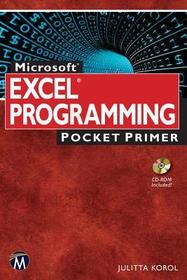
Microsoft Excel Programming Pocket Primer
Series: Pocket Primer;
- Publisher's listprice EUR 26.50
-
10 350 Ft (9 858 Ft + 5% VAT)
The price is estimated because at the time of ordering we do not know what conversion rates will apply to HUF / product currency when the book arrives. In case HUF is weaker, the price increases slightly, in case HUF is stronger, the price goes lower slightly.
- Discount 20% (cc. 2 070 Ft off)
- Discounted price 8 281 Ft (7 886 Ft + 5% VAT)
- Discount is valid until: 30 June 2026
Subcribe now and take benefit of a favourable price.
Subscribe
10 350 Ft

Availability
Estimated delivery time: In stock at the publisher, but not at Prospero's office. Delivery time approx. 3-5 weeks.
Not in stock at Prospero.
Why don't you give exact delivery time?
Delivery time is estimated on our previous experiences. We give estimations only, because we order from outside Hungary, and the delivery time mainly depends on how quickly the publisher supplies the book. Faster or slower deliveries both happen, but we do our best to supply as quickly as possible.
Product details:
- Edition number 1
- Publisher Mercury Learning and Information
- Date of Publication 13 May 2015
- Number of Volumes Paperback
- ISBN 9781942270010
- Binding Paperback
- No. of pages200 pages
- Size 250x150x15 mm
- Weight 372 g
- Language English 0
Categories
Long description:
No detailed description available for "Microsoft Excel Programming Pocket Primer".
MoreTable of Contents:
1.Getting Started
2. Getting to Know Visual Basic Editor (VBE)
3. Excel VBA Fundamentals
4. Excel VBA Built-in and Custom Functions
5. Adding Decisions to Excel VBA Programs
6. Adding Repeating Actions to Excel VBA Programs
7. Keeping Track of Multiple Values Using Arrays
8. Keeping Track of Multiple Values Using Object Collections
9. Getting to Know Built-in Tools for Testing and Debugging

