

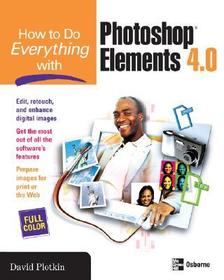
How to Do Everything with Photoshop Elements
Series: How to Do Everything;
- Publisher's listprice GBP 34.99
-
15 797 Ft (15 045 Ft + 5% VAT)
The price is estimated because at the time of ordering we do not know what conversion rates will apply to HUF / product currency when the book arrives. In case HUF is weaker, the price increases slightly, in case HUF is stronger, the price goes lower slightly.
- Discount 10% (cc. 1 580 Ft off)
- Discounted price 14 218 Ft (13 541 Ft + 5% VAT)
Subcribe now and take benefit of a favourable price.
Subscribe
15 797 Ft

Availability
Estimated delivery time: In stock at the publisher, but not at Prospero's office. Delivery time approx. 3-5 weeks.
Not in stock at Prospero.
Why don't you give exact delivery time?
Delivery time is estimated on our previous experiences. We give estimations only, because we order from outside Hungary, and the delivery time mainly depends on how quickly the publisher supplies the book. Faster or slower deliveries both happen, but we do our best to supply as quickly as possible.
Product details:
- Publisher McGraw Hill
- Date of Publication 16 January 2006
- ISBN 9780072262674
- Binding Paperback
- No. of pages448 pages
- Size 231x185x19 mm
- Weight 857 g
- Language English 0
Categories
Short description:
Edit, organize, and show off your photos using Photoshop Elements 4.0 and the expert tips in this full-color guide. You’ll learn to customize the program to suit your preferences, and then get started retouching, repairing, and enhancing digital images in no time. Step-by-step examples show you how to crop images, fix color, focus, and exposure problems, eliminate defects, manipulate images, add special effects, and much more. You’ll also get tips for getting high-quality prints and creating a Web gallery.
- Import images into Photoshop Elements or create all-new images
- Crop, rotate, and resize images
- Adjust color, contrast, lighting, exposure, and focus
- Touch up photos, hide defects, and remove objects
- Add text and shapes to your images
- Create special effects using layers, masks, gradients, and filters
- Create panoramas, cards, calendars, and photo books
- Prepare images for print or the Web
- Organize and store your images
- Share your photos online or in print
Long description:
Publisher's Note: Products purchased from Third Party sellers are not guaranteed by the publisher for quality, authenticity, or access to any online entitlements included with the product.
Edit, organize, and show off your photos using Photoshop Elements 4.0 and the expert tips in this full-color guide. You’ll learn to customize the program to suit your preferences, and then get started retouching, repairing, and enhancing digital images in no time. Step-by-step examples show you how to crop images, fix color, focus, and exposure problems, eliminate defects, manipulate images, add special effects, and much more. You’ll also get tips for getting high-quality prints and creating a Web gallery.
Publisher's Note: Products purchased from Third Party sellers are not guaranteed by the publisher for quality, authenticity, or access to any online entitlements included with the product.
Edit, organize, and show off your photos using Photoshop Elements 4.0 and the expert tips in this full-color guide. You’ll learn to customize the program to suit your preferences, and then get started retouching, repairing, and enhancing digital images in no time. Step-by-step examples show you how to crop images, fix color, focus, and exposure problems, eliminate defects, manipulate images, add special effects, and much more. You’ll also get tips for getting high-quality prints and creating a Web gallery.
More
