

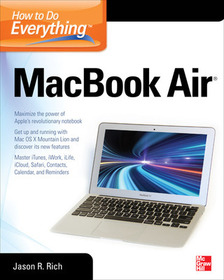
How to Do Everything MacBook Air
Series: How to Do Everything;
- Publisher's listprice GBP 26.99
-
12 185 Ft (11 605 Ft + 5% VAT)
The price is estimated because at the time of ordering we do not know what conversion rates will apply to HUF / product currency when the book arrives. In case HUF is weaker, the price increases slightly, in case HUF is stronger, the price goes lower slightly.
- Discount 10% (cc. 1 219 Ft off)
- Discounted price 10 967 Ft (10 445 Ft + 5% VAT)
Subcribe now and take benefit of a favourable price.
Subscribe
12 185 Ft

Availability
printed on demand
Why don't you give exact delivery time?
Delivery time is estimated on our previous experiences. We give estimations only, because we order from outside Hungary, and the delivery time mainly depends on how quickly the publisher supplies the book. Faster or slower deliveries both happen, but we do our best to supply as quickly as possible.
Product details:
- Publisher McGraw Hill
- Date of Publication 16 September 2012
- ISBN 9780071802499
- Binding Paperback
- No. of pages368 pages
- Size 231x188x20 mm
- Weight 640 g
- Language English 0
Categories
Short description:
Learn how to get up and running with Apple’s updated ultra-slim MacBook Air notebook
MoreLong description:
Publisher's Note: Products purchased from Third Party sellers are not guaranteed by the publisher for quality, authenticity, or access to any online entitlements included with the product.
Take your MacBook Air to new heights!
Discover how to get more than ever before out of Apple’s incredibly thin and light notebooks with help from this hands-on guide. How to Do Everything: MacBook Air shows you how to harness the power of the new Mac OS X Mountain Lion operating system, and use iTunes, iWork, iLife, iCloud, Safari, Contacts, Calendar, Reminders, Notification Center, Mail, and other powerful apps. Tap into all the computing power built into Apple’s ultra-portable MacBook Air while you’re at home, at work, or on-the-go.
- Custom configure your MacBook Air and navigate with the Multi-Touch trackpad
- Get the most out of the new Mac OS X Mountain Lion operating system
- Transfer data from a PC or another Mac
- Manage your email accounts with the Mail app
- Sync all of your data and devices via iCloud
- Connect peripherals—Bluetooth devices, printers, cameras, and more
- Use your MacBook Air to connect to Facebook, Twitter, Google+, Flickr, Tumblr, LinkedIn, and other services
- Maximize productivity tools, such as Microsoft Office and the iWork apps
- Download and play movies, TV shows, and games
- Manage your iTunes Library
- Get organized with the new Contacts, Calendar, and Reminders apps
- Communicate efficiently using the Messages app
- Video chat with FaceTime or Skype
- Run Microsoft Windows programs on your MacBook Air
- Update, back up, troubleshoot, and maintain your MacBook Air
Publisher's Note: Products purchased from Third Party sellers are not guaranteed by the publisher for quality, authenticity, or access to any online entitlements included with the product.
Take your MacBook Air to new heights!
Discover how to get more than ever before out of Apple’s incredibly thin and light notebooks with help from this hands-on guide. How to Do Everything: MacBook Air shows you how to harness the power of the new Mac OS X Mountain Lion operating system, and use iTunes, iWork, iLife, iCloud, Safari, Contacts, Calendar, Reminders, Notification Center, Mail, and other powerful apps. Tap into all the computing power built into Apple’s ultra-portable MacBook Air while you’re at home, at work, or on-the-go.
- Custom configure your MacBook Air and navigate with the Multi-Touch trackpad
- Get the most out of the new Mac OS X Mountain Lion operating system
- Transfer data from a PC or another Mac
- Manage your email accounts with the Mail app
- Sync all of your data and devices via iCloud
- Connect peripherals—Bluetooth devices, printers, cameras, and more
- Use your MacBook Air to connect to Facebook, Twitter, Google+, Flickr, Tumblr, LinkedIn, and other services
- Maximize productivity tools, such as Microsoft Office and the iWork apps
- Download and play movies, TV shows, and games
- Manage your iTunes Library
- Get organized with the new Contacts, Calendar, and Reminders apps
- Communicate efficiently using the Messages app
- Video chat with FaceTime or Skype
- Run Microsoft Windows programs on your MacBook Air
- Update, back up, troubleshoot, and maintain your MacBook Air
Table of Contents:
Part I: Get To Know Your MacBook Air
Chapter 1: Get Familiar with the MacBook Air
Chapter 2: Learn the Basics of the Mac OS X Operating System
Chapter 3: Make the Switch From Windows To a Mac
Part II: Discover The Mac OS X 10.8 Mountain Lion OS
Chapter 4: Set Up The Software That Comes With MacBook Air
Chapter 5: Install New Software Onto MacBook Air
Chapter 6: Transfer Data & Files from Another Computer
Chapter 7: Use Apple’s iCloud to Synch all Your Devices
Chapter 8: Add Optional Peripherals & Accessories to Expand Performance
Part III: Use Your MacBook Air Anytime & Anywhere
Chapter 9: Create Documents, Spreadsheets, Digital Slide Presentations
Chapter 10: Surf the Web on Your MacBook Air
Chapter 11: Set Up Existing Email Accounts For MacBook Air
Chapter 12: Bring The iLife Apps Into Your Life
Chapter 13: Get Organized with Calendar and Address Book Software
Part IV: Entertain Yourself With iTunes Content, Games & More
Chapter 14: Find & Enjoy Music, Movies, TV Shows & More With iTunes
Chapter 15: Play Games On Your MacBook Air
Part V: Easily Handle All of Your Mobile Computing Needs
Chapter 16: Travel with Your MacBook Air
Chapter 17: Use FaceTime, Skype or VOIP Software to Communicate & Video Conference
Chapter 18: Run Windows and Windows Software On Your MacBook Air
Appendix: What To Do When Something Goes Wrong

