

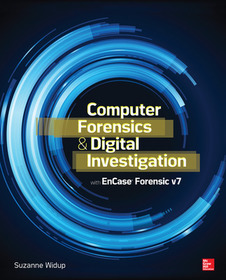
Computer Forensics and Digital Investigation with EnCase Forensic v7
Series: NETWORKING & COMM - OMG;
- Publisher's listprice GBP 50.99
-
23 021 Ft (21 925 Ft + 5% VAT)
The price is estimated because at the time of ordering we do not know what conversion rates will apply to HUF / product currency when the book arrives. In case HUF is weaker, the price increases slightly, in case HUF is stronger, the price goes lower slightly.
- Discount 10% (cc. 2 302 Ft off)
- Discounted price 20 719 Ft (19 733 Ft + 5% VAT)
Subcribe now and take benefit of a favourable price.
Subscribe
23 021 Ft

Availability
printed on demand
Why don't you give exact delivery time?
Delivery time is estimated on our previous experiences. We give estimations only, because we order from outside Hungary, and the delivery time mainly depends on how quickly the publisher supplies the book. Faster or slower deliveries both happen, but we do our best to supply as quickly as possible.
Product details:
- Publisher McGraw Hill
- Date of Publication 16 June 2013
- ISBN 9780071807913
- Binding Paperback
- No. of pages448 pages
- Size 228x188x22 mm
- Weight 739 g
- Language English 0
Categories
Long description:
Publisher's Note: Products purchased from Third Party sellers are not guaranteed by the publisher for quality, authenticity, or access to any online entitlements included with the product.
Conduct repeatable, defensible investigations withEnCase Forensic v7
Maximize the powerful tools and features of the industry-leading digital investigation software. Computer Forensics and Digital Investigation withEnCase Forensic v7 reveals, step by step, how to detect illicit activity, capture and verify evidence, recover deleted and encrypted artifacts, prepare court-ready documents, and ensure legal and regulatory compliance. The book illustrates each concept using downloadable evidence from the National Institute of Standards and Technology CFReDS. Customizable sample procedures are included throughout this practical guide.
- Install EnCase Forensic v7 and customize the user interface
- Prepare your investigation and set up a new case
- Collect and verify evidence from suspect computers and networks
- Use the EnCase Evidence Processor and Case Analyzer
- Uncover clues using keyword searches and filter results through GREP
- Work with bookmarks, timelines, hash sets, and libraries
- Handle case closure, final disposition, and evidence destruction
- Carry out field investigations using EnCase Portable
- Learn to program in EnCase EnScript
Publisher's Note: Products purchased from Third Party sellers are not guaranteed by the publisher for quality, authenticity, or access to any online entitlements included with the product.
Conduct repeatable, defensible investigations withEnCase Forensic v7
Maximize the powerful tools and features of the industry-leading digital investigation software. Computer Forensics and Digital Investigation withEnCase Forensic v7 reveals, step by step, how to detect illicit activity, capture and verify evidence, recover deleted and encrypted artifacts, prepare court-ready documents, and ensure legal and regulatory compliance. The book illustrates each concept using downloadable evidence from the National Institute of Standards and Technology CFReDS. Customizable sample procedures are included throughout this practical guide.
- Install EnCase Forensic v7 and customize the user interface
- Prepare your investigation and set up a new case
- Collect and verify evidence from suspect computers and networks
- Use the EnCase Evidence Processor and Case Analyzer
- Uncover clues using keyword searches and filter results through GREP
- Work with bookmarks, timelines, hash sets, and libraries
- Handle case closure, final disposition, and evidence destruction
- Carry out field investigations using EnCase Portable
- Learn to program in EnCase EnScript
Table of Contents:
Part 1: Preparing for the Forensics Function
1. The Road to Readiness
2. Getting started
3. Basic Concepts
Part 2: Beginning with EnCase Forensic
4. Your First case
5.Working in the Evidence Browser
6. Diving into the View Pane
Part 3: Looking for Evidence
7. Searching for Clues
8. Further Inspection
9. Digital Dumpster Diving
Part 4: Putting it All Together
10. Determining What Happened
11. Refining the Results
12. An EnScript Primer
Part 5: Completed Investigations
13. Reporting
14. Closing the Case
Appendix A: Rosetta Stone for Windows Operating Systems
Appendix B: EnCase Keyboard Short Cuts
Appendix C: EnScript Classes Hierarchy
Appendix D: Resources for Further Information

