

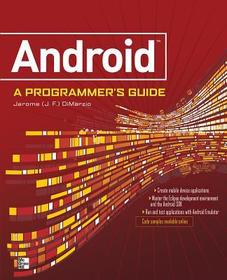
ANDROID A PROGRAMMERS GUIDE
Series: PROGRAMMING & WEB DEV - OMG;
- Publisher's listprice GBP 30.99
-
14 805 Ft (14 100 Ft + 5% VAT)
The price is estimated because at the time of ordering we do not know what conversion rates will apply to HUF / product currency when the book arrives. In case HUF is weaker, the price increases slightly, in case HUF is stronger, the price goes lower slightly.
- Discount 10% (cc. 1 481 Ft off)
- Discounted price 13 325 Ft (12 690 Ft + 5% VAT)
Subcribe now and take benefit of a favourable price.
Subscribe
14 805 Ft

Availability
Out of print
Why don't you give exact delivery time?
Delivery time is estimated on our previous experiences. We give estimations only, because we order from outside Hungary, and the delivery time mainly depends on how quickly the publisher supplies the book. Faster or slower deliveries both happen, but we do our best to supply as quickly as possible.
Product details:
- Publisher McGraw Hill
- Date of Publication 16 September 2008
- ISBN 9780071599887
- Binding Paperback
- No. of pages336 pages
- Size 228x185x16 mm
- Weight 567 g
- Language English 0
Categories
Short description:
, ASP.NET Java, and many other languages.
MoreLong description:
Publisher's Note: Products purchased from Third Party sellers are not guaranteed by the publisher for quality, authenticity, or access to any online entitlements included with the product.
Master the Android mobile development platform
Build compelling Java-based mobile applications using the Android SDK and the Eclipse open-source software development platform. Android: A Programmer's Guide shows you, step-by-step, how to download and set up all of the necessary tools, build and tune dynamic Android programs, and debug your results. Discover how to provide web and chat functions, interact with the phone dialer and GPS devices, and access the latest Google services. You'll also learn how to create custom Content Providers and database-enable your applications using SQLite.
- Install and configure Java, Eclipse, and Android plugin
- Create Android projects from the Eclipse UI or command line
- Integrate web content, images, galleries, and sounds
- Deploy menus, progress bars, and auto-complete functions
- Trigger actions using Android Intents, Filters, and Receivers
- Implement GPS, Google Maps, Google Earth, and GTalk
- Build interactive SQLite databases, calendars, and notepads
- Test applications using the Android Emulator and Debug Bridge
Publisher's Note: Products purchased from Third Party sellers are not guaranteed by the publisher for quality, authenticity, or access to any online entitlements included with the product.
Master the Android mobile development platform
Build compelling Java-based mobile applications using the Android SDK and the Eclipse open-source software development platform. Android: A Programmer's Guide shows you, step-by-step, how to download and set up all of the necessary tools, build and tune dynamic Android programs, and debug your results. Discover how to provide web and chat functions, interact with the phone dialer and GPS devices, and access the latest Google services. You'll also learn how to create custom Content Providers and database-enable your applications using SQLite.
- Install and configure Java, Eclipse, and Android plugin
- Create Android projects from the Eclipse UI or command line
- Integrate web content, images, galleries, and sounds
- Deploy menus, progress bars, and auto-complete functions
- Trigger actions using Android Intents, Filters, and Receivers
- Implement GPS, Google Maps, Google Earth, and GTalk
- Build interactive SQLite databases, calendars, and notepads
- Test applications using the Android Emulator and Debug Bridge
Table of Contents:
Ch 1. What is Android
Ch 2. Downloading and setting up Eclipse
Ch 3. Downloading the Google Android SDK and Eclipse Plugin
Ch 4. Exploring the Google Android SDK
Ch 5. Application: Hello World!
Ch 6. Using the Google Android Emulator
Ch 7. Reacting to phone events
Ch 8. Calling the GPS
Ch 9. Application: Note Block
Ch 10. Buttons, Lists, and other Objects
Ch 11. Application: Caller Info
Ch 12. Application: Find Me
Ch 13. Interacting with other Google Services
Ch 14. Troubleshooting and Errors
More
