
• Contact

  • Newsletter

  • About us

  • Delivery options

  • Prospero Book Market Podcast

  • 'Language is english. Váltás magyarra.'
    Wishlist
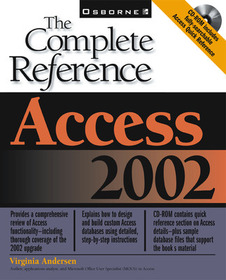
    Access 2002: The Complete Reference (Book/CD-ROM)

    Access 2002: The Complete Reference (Book/CD-ROM) by Andersen, Virginia;

    Series: CONSUMER APPL & HARDWARE - OMG;

      • GET 10% OFF

      • The discount is only available for 'Alert of Favourite Topics' newsletter recipients.
      • Publisher's listprice GBP 38.23
      • The price is estimated because at the time of ordering we do not know what conversion rates will apply to HUF / product currency when the book arrives. In case HUF is weaker, the price increases slightly, in case HUF is stronger, the price goes lower slightly.

        17 260 Ft (16 438 Ft + 5% VAT)
      • Discount 10% (cc. 1 726 Ft off)
      • Discounted price 15 534 Ft (14 794 Ft + 5% VAT)

    17 260 Ft

    Availability

    Permanently out of stock

    Why don't you give exact delivery time?

    Delivery time is estimated on our previous experiences. We give estimations only, because we order from outside Hungary, and the delivery time mainly depends on how quickly the publisher supplies the book. Faster or slower deliveries both happen, but we do our best to supply as quickly as possible.

    Product details:

    • Publisher McGraw-Hill Education
    • Date of Publication 16 May 2001

    • ISBN 9780072132410
    • Binding Paperback
    • No. of pages1220 pages
    • Size 231x185x64 mm
    • Weight 2004 g
    • Language English
    • 0

    Categories

    Short description:

    Virginia Andersen (San Diego, CA) is a freelance author and writer who has written or contributed to nearlyy 25 books about PC-based applications, including many student tutorials and accompanying instructor manuals with exercise disks. Virginia is certified as a Microsoft Access MOUS Expert.

    More

    Long description:

    Master all the powerful features of Access 2002. This complete reference explains in full detail how to design and use Access tables, queries, forms, and reports and maximize all the program's capabilities. Chapters on VBA techniques pave your way to Access programming, and a special section on using Access on the Internet is also included. The CD-ROM contains database files from the book's examples so you can recreate the sample projects. You'll also get Test Yourself software to help you prepare for the MOUS Certification Exams for Access 2002.

    Master all the powerful features of Access 2002. This complete reference explains in full detail how to design and use Access tables, queries, forms, and reports and maximize all the program's capabilities. Chapters on VBA techniques pave your way to Access programming, and a special section on using Access on the Internet is also included. The CD-ROM contains database files from the book's examples so you can recreate the sample projects. You'll also get Test Yourself software to help you prepare for the MOUS Certification Exams for Access 2002.

    More

    Table of Contents:

    Part I: Getting Started.

    Chapter 1: Quick Tour of Access 2002.

    Chapter 2: The World of Relational Databases.

    Chapter 3: Creating a Database.

    Chapter 4: Creating and Modifying Tables.

    Chapter 5: Relating Tables.

    Chapter 6: Entering and Editing Data.

    Part II: Retrieving and Presenting Information.

    Chapter 7: Sorting, Filtering and Printing Records.

    Chapter 8: Extracting Information with Queries.

    Chapter 9: Creating Advanced Queries.

    Chapter 10: Creating Form and Report Designs.

    Chapter 11: Using the Form Wizard.

    Chapter 12: Customizing Forms.

    Chapter 13: Using the Report Wizard.

    Chapter 14: Customizing Reports.

    Chapter 15: Creating Charts, PivotTables, and PivotCharts.

    Part III: Improving the Workplace.

    Chapter 16: Customizing the Workplace.

    Chapter 17: Improving Database Performance.

    Chapter 18: Understanding Events and the Event Model.

    Chapter 19: Automating with Macros.

    Chapter 20: Customizing Menus and Toolbars.

    Chapter 21: Creating Custom Switchboards and Dialog Boxes.

    Part IV: Exchanging Data with Others.

    Chapter 22: Exchanging Database Objects and Text.

    Chapter 23: Exchanging Data with Outside Sources.

    Chapter 24: Access 2002 on the Internet.

    Part V: Application Development.

    Chapter 25: Introducing Microsoft Visual Basic.

    Chapter 26: Sharing with Multiple Users.

    Chapter 27: Securing a Database.

    Chapter 28: Developing an End-User Application.

    Chapter 29: Converting to Access 2002.

    Appendix A: MOUS Exam Objectives.

    Appendix B: What's on the CD.

    More

    0