

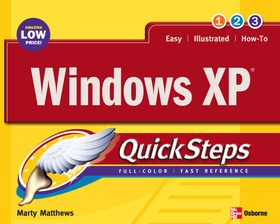
Windows XP Quicksteps
Series: QuickSteps;
- Publisher's listprice GBP 12.99
-
5 864 Ft (5 585 Ft + 5% VAT)
The price is estimated because at the time of ordering we do not know what conversion rates will apply to HUF / product currency when the book arrives. In case HUF is weaker, the price increases slightly, in case HUF is stronger, the price goes lower slightly.
- Discount 10% (cc. 586 Ft off)
- Discounted price 5 278 Ft (5 027 Ft + 5% VAT)
Subcribe now and take benefit of a favourable price.
Subscribe
5 864 Ft

Availability
Permanently out of stock
Why don't you give exact delivery time?
Delivery time is estimated on our previous experiences. We give estimations only, because we order from outside Hungary, and the delivery time mainly depends on how quickly the publisher supplies the book. Faster or slower deliveries both happen, but we do our best to supply as quickly as possible.
Product details:
- Publisher McGraw-Hill Education
- Date of Publication 16 March 2004
- ISBN 9780072232189
- Binding Paperback
- No. of pages224 pages
- Size 281x221x15 mm
- Weight 680 g
- Language English 0
Categories
Long description:
Brace youself, because here comes QuickSteps: The fast, easy, accessible information on Windows XP in a full-color cookbook-style format. Provides answers to all of your How-do-I questions in a concise and meaningful way. Lengthwise page layout allows for easy page viewing. Useful tips and cautions are displayed in the margins so that they don’t break the flow of the quick steps themselves.
Brace youself, because here comes QuickSteps: The fast, easy, accessible information on Windows XP in a full-color cookbook-style format. Provides answers to all of your How-do-I questions in a concise and meaningful way. Lengthwise page layout allows for easy page viewing. Useful tips and cautions are displayed in the margins so that they don’t break the flow of the quick steps themselves.

