

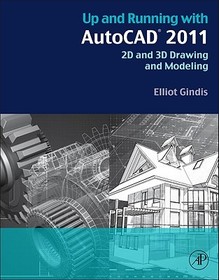
Up and Running with AutoCAD 2011
2D and 3D Drawing and Modeling
- Publisher's listprice EUR 68.95
-
28 597 Ft (27 235 Ft + 5% VAT)
The price is estimated because at the time of ordering we do not know what conversion rates will apply to HUF / product currency when the book arrives. In case HUF is weaker, the price increases slightly, in case HUF is stronger, the price goes lower slightly.
- Discount 10% (cc. 2 860 Ft off)
- Discounted price 25 737 Ft (24 512 Ft + 5% VAT)
Subcribe now and take benefit of a favourable price.
Subscribe
28 597 Ft

Availability
Out of print
Why don't you give exact delivery time?
Delivery time is estimated on our previous experiences. We give estimations only, because we order from outside Hungary, and the delivery time mainly depends on how quickly the publisher supplies the book. Faster or slower deliveries both happen, but we do our best to supply as quickly as possible.
Product details:
- Publisher Elsevier Science
- Date of Publication 22 September 2010
- ISBN 9780123757173
- Binding Paperback
- No. of pages708 pages
- Size 276x215 mm
- Weight 1600 g
- Language English 0
Categories
Long description:
Up and Running with AutoCAD 2011: 2D and 3D Drawing and Modeling provides an introduction to the fundamental concepts of AutoCAD. These concepts have been distilled down to basic, easy to understand explanations for the benefit of beginner students. Each chapter explains the new concept or command and why it is important. Readers are given the chance to apply just-learned knowledge to a real-life exercise, drawing, or model. They can also test their knowledge with end-of-chapter quizzes and drawing exercises.
The book is organized into three parts: Level 1, Level 2, and Level 3. Level 1 offers a wide breadth of knowledge on many topics. Its chapters comprise the complete essential knowledge set of an intermediate user. Students can then work on, if not necessarily set up and manage, moderate to complex drawings. Level 2 is meant for advanced users who are CAD managers, full-time AutoCAD draftspersons, architects, or self-employed and must do everything themselves. The goal here is depth, and several features not deemed critically important in Level 1 are revisited to explore additional advanced options. Also introduced are advanced topics necessary to set up and manage complex drawings. Level 3 is all about 3D. Solid knowledge of the previous two levels is highly recommended before starting these chapters. The 3D material covers all aspects of AutoCAD solid modeling, including lights and rendering.
MoreTable of Contents:
Part One Beginner to Intermediate
Chapter One AutoCAD Fundamentals 1
Chapter Two AutoCAD Fundamentals 2
Chapter Three Layers, Colors, Linetypes and Properties
Chapter Four DText, MText, Style and Editing
Chapter Five Bhatch
Chapter Six Dimensions
Chapter Seven Blocks and Wblocks
Chapter Eight Polar and Rectangular Arrays, Polygon and Circle/TTR
Chapter Nine Isometric
Chapter Ten Basic Printing and Output
Part II Intermediate to Advanced
Chapter Eleven Advanced Linework
Chapter Twelve Advanced Layers
Chapter Thirteen Advanced Dimensions
Chapter Fourteen Options, Shortcuts, CUI, Design Center & Exp. Tools
Chapter Fifteen Miscellaneous Topics
Chapter Sixteen Importing and Exporting Data
Chapter Seventeen External References
Chapter Eighteen Paper Space
Chapter Nineteen Attributes
Chapter Twenty Advanced Output and Pen Settings
Part III 3D
Chapter Twenty One 3D Basics
Chapter Twenty Two Primitives
Chapter Twenty Three Object Manipulation
Chapter Twenty Four Boolean Operations
Chapter Twenty Five Advanced 3D Tools I
Chapter Twenty Six Advanced 3D Tools II
Chapter Twenty Seven Meshes and Surfaces
Chapter Twenty Eight UCS, Vports, Text and Dims in 3D
Chapter Twenty Nine Cameras, Walk and Fly
Chapter Thirty Lighting and Rendering
Appendices
More
