

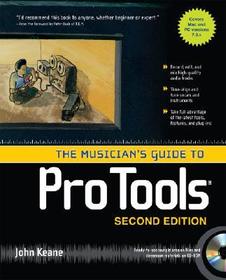
The Musician's Guide to Pro Tools
- Publisher's listprice GBP 30.99
-
13 991 Ft (13 325 Ft + 5% VAT)
The price is estimated because at the time of ordering we do not know what conversion rates will apply to HUF / product currency when the book arrives. In case HUF is weaker, the price increases slightly, in case HUF is stronger, the price goes lower slightly.
- Discount 10% (cc. 1 399 Ft off)
- Discounted price 12 592 Ft (11 993 Ft + 5% VAT)
Subcribe now and take benefit of a favourable price.
Subscribe
13 991 Ft

Availability
Permanently out of stock
Why don't you give exact delivery time?
Delivery time is estimated on our previous experiences. We give estimations only, because we order from outside Hungary, and the delivery time mainly depends on how quickly the publisher supplies the book. Faster or slower deliveries both happen, but we do our best to supply as quickly as possible.
Product details:
- Edition number 2
- Publisher McGraw-Hill Education
- Date of Publication 16 November 2007
- ISBN 9780071497428
- Binding Paperback
- No. of pages pages
- Size 228x182x20 mm
- Weight 672 g
- Language English 0
Categories
Long description:
"I&&&39;d recommend this book to anyone, whether beginner or expert." --From the Foreword by Peter Buck of R.E.M.
"Because everything is explained so concisely, you spend less time wading through pages and more time recording music." --Sound on Sound magazine
"An excellent book for any engineer or home recordist just getting into Pro Tools." --Tape Op magazine
"I&&&39;d recommend this book to anyone, whether beginner or expert." --From the Foreword by Peter Buck of R.E.M.
"Because everything is explained so concisely, you spend less time wading through pages and more time recording music." --Sound on Sound magazine
"An excellent book for any engineer or home recordist just getting into Pro Tools." --Tape Op magazine
MoreTable of Contents:
Part I. Making a Home Demo
Chapter 1: Getting Comfortable with Your Pro Tools System
Chapter 2: Starting a New Session from Scratch
Chapter 3: Tracking and Overdubbing
Chapter 4: Basic Editing Techniques
Chapter 5: The Pro Tools Virtual Mixer
Part II. The Doormats Session
Chapter 6: Fixing the Drums
Chapter 7: Bass and Guitar Fixes
Chapter 8: Audio Quality Issues
Chapter 9: Using a Click in Pro Tools
Part III. The Honeywagon Session
Chapter 10: Working with Loops
Chapter 11: Bring on the Band
Chapter 12: Working with Vocals
Chapter 13: Advanced Mixing Techniques
Part IV. Appendixes
Appendix A. Changing the Monitor/Display Resolution
Appendix B. Cheat Sheets and Function Key Labels
Appendix C. Preenting and Troubleshooting Problems
Appendix D. About the Session Disc
Index

