

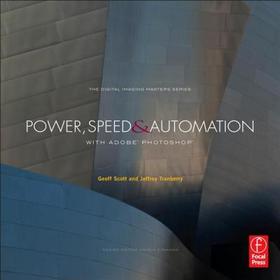
Power, Speed & Automation with Adobe Photoshop
(The Digital Imaging Masters Series)
Series: The Digital Imaging Masters Series;
-
GET 10% OFF
- Publisher's listprice GBP 48.99
-
22 118 Ft (21 065 Ft + 5% VAT)
The price is estimated because at the time of ordering we do not know what conversion rates will apply to HUF / product currency when the book arrives. In case HUF is weaker, the price increases slightly, in case HUF is stronger, the price goes lower slightly.
- Discount 10% (cc. 2 212 Ft off)
- Discounted price 19 906 Ft (18 959 Ft + 5% VAT)
19 906 Ft

Availability
printed on demand
Why don't you give exact delivery time?
Delivery time is estimated on our previous experiences. We give estimations only, because we order from outside Hungary, and the delivery time mainly depends on how quickly the publisher supplies the book. Faster or slower deliveries both happen, but we do our best to supply as quickly as possible.
Product details:
- Edition number 1
- Publisher Routledge
- Date of Publication 20 July 2012
- ISBN 9780240820835
- Binding Paperback
- No. of pages336 pages
- Size 229x229 mm
- Weight 972 g
- Language English 0
Categories
Short description:
Writing scripts in Photoshop isn't so daunting with guidance from two masters!
MoreLong description:
This is a must for the serious Photoshop user! Power, Speed & Automation explores how to customize and automate Photoshop to increase your speed and productivity. With numerous step-by-step instructions, the authors-two of Adobe's own software developers!- walk you through the steps to best tailor Photoshop's interface to your personal workflow; write and apply Actions; and use batching and scripts to process large numbers of images quickly and automatically. You will learn how to build your own dialogs and panels to improve your production workflows in Photoshop, the secrets of changing keyboard shortcuts and menus, and ways to tune your system for optimal performance. Writing new processes using JavaScript is also covered, as well as leveraging Variables with data sets. Learn how to get more work done? more easily and quickly? with this essential guide!
*This book can be used with any version of Photoshop through CS6!*
MoreTable of Contents:
1. Customizing How You Work in Photoshop
2. Customizing How Photoshop Works for You
3. Optimizing Your System for Photoshop
4. Duplicating Your Tasks in Photoshop
5. Repeating Tasks on Many Files
6. Repeating Tasks with External Data
7. Building Your Own Panels
8. Scripting Photoshop
9. Customizing Scripts Created by Photoshop
10.Controlling Documents
11.Adding Scripts to Your Panels
12.Scripting Complex Workflows
13.Building Custom Dialogs

