

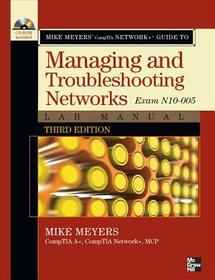
Mike Meyers' CompTIA Network+ Guide to Managing and Troubleshooting Networks Lab Manual, 3rd Edition (Exam N10-005)
Series: OSBORNE RESERVED;
- Publisher's listprice GBP 40.99
-
18 506 Ft (17 625 Ft + 5% VAT)
The price is estimated because at the time of ordering we do not know what conversion rates will apply to HUF / product currency when the book arrives. In case HUF is weaker, the price increases slightly, in case HUF is stronger, the price goes lower slightly.
- Discount 10% (cc. 1 850 Ft off)
- Discounted price 16 656 Ft (15 863 Ft + 5% VAT)
Subcribe now and take benefit of a favourable price.
Subscribe
18 506 Ft

Availability
printed on demand
Why don't you give exact delivery time?
Delivery time is estimated on our previous experiences. We give estimations only, because we order from outside Hungary, and the delivery time mainly depends on how quickly the publisher supplies the book. Faster or slower deliveries both happen, but we do our best to supply as quickly as possible.
Product details:
- Edition number 3
- Publisher McGraw Hill
- Date of Publication 16 April 2012
- ISBN 9780071788830
- Binding Paperback
- No. of pages496 pages
- Size 281x205x27 mm
- Weight 1089 g
- Language English 0
Categories
Long description:
Publisher's Note: Products purchased from Third Party sellers are not guaranteed by the publisher for quality, authenticity, or access to any online entitlements included with the product.
Practice the IT Skills Essential for Your Success
- 90+ lab exercises challenge you to solve problems based on realistic case studies
- Lab analysis tests measure your understanding of lab results
- Step-by-step scenarios require you to think critically
- Key term quizzes help build your vocabulary
- Lab solutions are only available to instructors and do not appear inside the book
In this lab manual, you'll practice:
- Building a network with the OSI and TCP/IP models
- Configuring network hardware, topologies, and cabling
- Connecting multiple Ethernet components
- Installing and configuring routers and switches
- Working with TCP/IP applications and network protocols
- Configuring IPv6 routing protocols
- Setting up clients and servers for remote access
- Configuring wireless networks
- Securing networks with firewalls, NAT, port filtering, packet filtering, and other methods
- Implementing virtualization
- Building a SOHO network
- Managing and troubleshooting networks
Publisher's Note: Products purchased from Third Party sellers are not guaranteed by the publisher for quality, authenticity, or access to any online entitlements included with the product.
Practice the IT Skills Essential for Your Success
- 90+ lab exercises challenge you to solve problems based on realistic case studies
- Lab analysis tests measure your understanding of lab results
- Step-by-step scenarios require you to think critically
- Key term quizzes help build your vocabulary
- Lab solutions are only available to instructors and do not appear inside the book
In this lab manual, you'll practice:
- Building a network with the OSI and TCP/IP models
- Configuring network hardware, topologies, and cabling
- Connecting multiple Ethernet components
- Installing and configuring routers and switches
- Working with TCP/IP applications and network protocols
- Configuring IPv6 routing protocols
- Setting up clients and servers for remote access
- Configuring wireless networks
- Securing networks with firewalls, NAT, port filtering, packet filtering, and other methods
- Implementing virtualization
- Building a SOHO network
- Managing and troubleshooting networks
Table of Contents:
Chapter 1: CompTIA Network+ in a Nutshell
Chapter 2: Network Models
Chapter 3: Cabling and Topology
Chapter 4: Ethernet Basics
Chapter 5: Modern Ethernet
Chapter 6: Installing a Physical Network
Chapter 7: TCP/IP Basics
Chapter 8: The Wonderful World of Routing
Chapter 9: TCP/IP Applications
Chapter 10: Network Naming
Chapter 11: Securing TCP/IP
Chapter 12: Advanced Networking Devices
Chapter 13: IPv6
Chapter 14: Remote Connectivity
Chapter 15: Wireless Networking
Chapter 16: Protecting your Network
Chapter 17: Virtualization
Chapter 18: Network Management
Chapter 19: Building a SOHO Network
Chapter 20: Network Troubleshooting
Glossary
Index

