

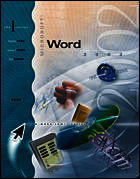
I-Series: MS Word 2002, Brief
- Publisher's listprice GBP 27.99
-
12 637 Ft (12 035 Ft + 5% VAT)
The price is estimated because at the time of ordering we do not know what conversion rates will apply to HUF / product currency when the book arrives. In case HUF is weaker, the price increases slightly, in case HUF is stronger, the price goes lower slightly.
- Discount 10% (cc. 1 264 Ft off)
- Discounted price 11 373 Ft (10 832 Ft + 5% VAT)
Discounted price for customers subscribed to our weekly newsletter.
Subcribe now and take benefit of a favourable price.
Subscribe
Subcribe now and take benefit of a favourable price.
Subscribe
12 637 Ft

Availability
Out of print
Why don't you give exact delivery time?
Delivery time is estimated on our previous experiences. We give estimations only, because we order from outside Hungary, and the delivery time mainly depends on how quickly the publisher supplies the book. Faster or slower deliveries both happen, but we do our best to supply as quickly as possible.
Product details:
- Publisher McGraw-Hill
- Date of Publication 1 February 2002
- ISBN 9780072470901
- Binding Paperback
- No. of pages216 pages
- Size 269x213x10 mm
- Weight 431 g
- Language English 0
Categories
Long description:
SERIES TAGLINE: THE ?HOW and WHY?, PRACTICAL APPROACH TO LEARNING APPLICATIONS.
More
