

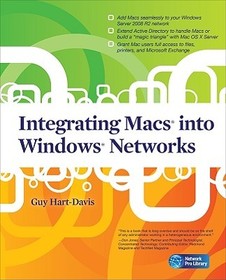
Integrating Macs into Windows Networks
- Publisher's listprice GBP 55.99
-
25 279 Ft (24 075 Ft + 5% VAT)
The price is estimated because at the time of ordering we do not know what conversion rates will apply to HUF / product currency when the book arrives. In case HUF is weaker, the price increases slightly, in case HUF is stronger, the price goes lower slightly.
- Discount 10% (cc. 2 528 Ft off)
- Discounted price 22 751 Ft (21 668 Ft + 5% VAT)
Subcribe now and take benefit of a favourable price.
Subscribe
25 279 Ft

Availability
printed on demand
Why don't you give exact delivery time?
Delivery time is estimated on our previous experiences. We give estimations only, because we order from outside Hungary, and the delivery time mainly depends on how quickly the publisher supplies the book. Faster or slower deliveries both happen, but we do our best to supply as quickly as possible.
Product details:
- Publisher McGraw Hill
- Date of Publication 16 September 2010
- ISBN 9780071713023
- Binding Paperback
- No. of pages432 pages
- Size 231x185x21 mm
- Weight 712 g
- Language English 0
Categories
Long description:
Publisher's Note: Products purchased from Third Party sellers are not guaranteed by the publisher for quality, authenticity, or access to any online entitlements included with the product.
Integrate Macs seamlessly into your Windows network
These days, almost every Windows network must include Macs--and not just as second-class citizens with limited connectivity, but as full members of the network. Covering Mac OS X Snow Leopard and Windows Server 2008 R2, Integrating Macs into Windows Networks shows you how to incorporate Macs quickly and easily into your Windows Server network. You'll learn how to plan your Mac rollout, choose the best way of managing Macs, add Macs to the network seamlessly, and keep them secure and running smoothly.
- Select the right Macs for your organization's needs
- Make the physical connection to the network via Ethernet or AirPort
- Choose between extending Active Directory to handle Macs or building a "magic triangle" with Mac OS X Server
- Use proxy servers to give Macs safe internet access
- Connect Mac clients to Microsoft Exchange for e-mail and calendaring
- Provide Mac users with network home or mobile home folders
- Set up Macs to print to your Windows network printers
- Install software on Macs automatically both before and after deployment
- Run Windows programs on Macs using Boot Camp, virtual machines, or both
- Allow Mac users remote access to the network via virtual private networking
- Back up and restore data, and troubleshoot Mac hardware and software problems
Publisher's Note: Products purchased from Third Party sellers are not guaranteed by the publisher for quality, authenticity, or access to any online entitlements included with the product.
Integrate Macs seamlessly into your Windows network
These days, almost every Windows network must include Macs--and not just as second-class citizens with limited connectivity, but as full members of the network. Covering Mac OS X Snow Leopard and Windows Server 2008 R2, Integrating Macs into Windows Networks shows you how to incorporate Macs quickly and easily into your Windows Server network. You'll learn how to plan your Mac rollout, choose the best way of managing Macs, add Macs to the network seamlessly, and keep them secure and running smoothly.
- Select the right Macs for your organization's needs
- Make the physical connection to the network via Ethernet or AirPort
- Choose between extending Active Directory to handle Macs or building a "magic triangle" with Mac OS X Server
- Use proxy servers to give Macs safe internet access
- Connect Mac clients to Microsoft Exchange for e-mail and calendaring
- Provide Mac users with network home or mobile home folders
- Set up Macs to print to your Windows network printers
- Install software on Macs automatically both before and after deployment
- Run Windows programs on Macs using Boot Camp, virtual machines, or both
- Allow Mac users remote access to the network via virtual private networking
- Back up and restore data, and troubleshoot Mac hardware and software problems
Table of Contents:
Chapter 1. Planning Your Mac Rollout; Chapter 2. Connecting the Macs to the Network and Active Directory; Chapter 3. Binding a Mac OS X Server to Manage Macs via a "Magic Triangle"; Chapter 4. Extending Active Directory to Handle Mac Clients Natively; Chapter 5. Giving Your Macs Safe Access to the Internet; Chapter 6. Connecting Macs to Microsoft Exchange;Chapter 7. Providing Home Folders and File Services for Macs; Chapter 8. Setting Up Printing on Macs; Chapter 9. Installing and Updating Software; Chapter 10. Run Windows Applications on Macs; Chapter 11. Providing Remote Access for and to Macs; Chapter 12. Backing Up and Restoring Macs; Chapter 13. Recovering from Disasters on Macs; Chapter 14. Adding Macs to Small Windows Networks; Index
More
