

- Publisher's listprice GBP 29.99
-
13 540 Ft (12 895 Ft + 5% VAT)
The price is estimated because at the time of ordering we do not know what conversion rates will apply to HUF / product currency when the book arrives. In case HUF is weaker, the price increases slightly, in case HUF is stronger, the price goes lower slightly.
- Discount 10% (cc. 1 354 Ft off)
- Discounted price 12 186 Ft (11 606 Ft + 5% VAT)
Subcribe now and take benefit of a favourable price.
Subscribe
13 540 Ft

Availability
printed on demand
Why don't you give exact delivery time?
Delivery time is estimated on our previous experiences. We give estimations only, because we order from outside Hungary, and the delivery time mainly depends on how quickly the publisher supplies the book. Faster or slower deliveries both happen, but we do our best to supply as quickly as possible.
Product details:
- Publisher McGraw Hill
- Date of Publication 16 May 2013
- ISBN 9780071805148
- Binding Paperback
- No. of pages488 pages
- Size 231x188x25 mm
- Weight 792 g
- Language English 0
Categories
Short description:
Full coverage of the brand-new Windows operating system
MoreLong description:
Publisher's Note: Products purchased from Third Party sellers are not guaranteed by the publisher for quality, authenticity, or access to any online entitlements included with the product.
Tap into the power of Windows 8
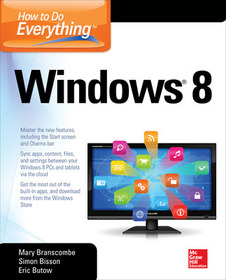
Maximize the versatile features of Windows 8 on all your devices with help from this hands-on guide. Discover how to customize settings, use the new Start screen and Charms bar, work with gestures on a touchscreen PC, organize and sync data in the cloud, and set up a network. How to Do Everything Windows 8 covers email, video conferencing, web access, peripheral devices, security, and troubleshooting. You’ll also get tips for using the entertainment apps to enjoy music, video, photos, games, and much more.
- Customize Windows 8, group tiles on the Start screen, pin icons to the taskbar, and change settings
- Manage and back up your files and sync them to the cloud
- Share files with a Windows 8 Homegroup
- Surf the web with both versions of Internet Explorer 10, use tabs, organize favorites, and protect your privacy online
- Print, scan, and fax with Windows 8
- Communicate via built-in apps—Mail and Messaging—and add Skype
- Connect to social networks, including Facebook and Twitter, using the People app
- Enjoy the Music and Video apps and the Xbox Music free streaming service and video store
- View, manage, and share photos with the new Photos app—including your Facebook, Flickr, and SkyDrive photos
- Use all the built-in Windows 8 apps and get more from the Windows Store
- Keep Windows 8 running smoothly and securely
- Troubleshoot problems and reset or recover your PC
Publisher's Note: Products purchased from Third Party sellers are not guaranteed by the publisher for quality, authenticity, or access to any online entitlements included with the product.
Tap into the power of Windows 8
Maximize the versatile features of Windows 8 on all your devices with help from this hands-on guide. Discover how to customize settings, use the new Start screen and Charms bar, work with gestures on a touchscreen PC, organize and sync data in the cloud, and set up a network. How to Do Everything Windows 8 covers email, video conferencing, web access, peripheral devices, security, and troubleshooting. You’ll also get tips for using the entertainment apps to enjoy music, video, photos, games, and much more.
- Customize Windows 8, group tiles on the Start screen, pin icons to the taskbar, and change settings
- Manage and back up your files and sync them to the cloud
- Share files with a Windows 8 Homegroup
- Surf the web with both versions of Internet Explorer 10, use tabs, organize favorites, and protect your privacy online
- Print, scan, and fax with Windows 8
- Communicate via built-in apps—Mail and Messaging—and add Skype
- Connect to social networks, including Facebook and Twitter, using the People app
- Enjoy the Music and Video apps and the Xbox Music free streaming service and video store
- View, manage, and share photos with the new Photos app—including your Facebook, Flickr, and SkyDrive photos
- Use all the built-in Windows 8 apps and get more from the Windows Store
- Keep Windows 8 running smoothly and securely
- Troubleshoot problems and reset or recover your PC
Table of Contents:
Ch 1: Get to Know Windows 8
Ch 2: Learn How to Get Around Windows 8
Ch 3: Make Windows 8 Your Own
Ch 4: Manage, Back Up, and Sync Your Files
Ch 5: Share Files Among Computers with a Windows 8 Homegroup
Ch 6: Browse the Web
Ch 7: Print, Scan, and fax with Windows 8
Ch 8: Send and Receive Email
Ch 9: Send and Receive Instant Messages
Ch 10: Make Phone and Video Calls
Ch 11: Access Online Social Networks
Ch 12: Find and Play Music and Other Audio Files
Ch 13: View and Manage Photos
Ch 14: Watch and Organize Videos
Ch 15: Read, Navigate, and Connect
Ch 16: Get More Apps and Games for Windows 8
Ch 17: Keep Windows 8 Tuned Up
Ch 18: Troubleshoot Problems in Windows 8
Ch 19: Reset or Recover Your PC

