

-
GET 10% OFF
- Publisher's listprice GBP 25.99
-
11 734 Ft (11 175 Ft + 5% VAT)
The price is estimated because at the time of ordering we do not know what conversion rates will apply to HUF / product currency when the book arrives. In case HUF is weaker, the price increases slightly, in case HUF is stronger, the price goes lower slightly.
- Discount 10% (cc. 1 173 Ft off)
- Discounted price 10 560 Ft (10 058 Ft + 5% VAT)
10 560 Ft

Availability
Estimated delivery time: In stock at the publisher, but not at Prospero's office. Delivery time approx. 3-5 weeks.
Not in stock at Prospero.
Why don't you give exact delivery time?
Delivery time is estimated on our previous experiences. We give estimations only, because we order from outside Hungary, and the delivery time mainly depends on how quickly the publisher supplies the book. Faster or slower deliveries both happen, but we do our best to supply as quickly as possible.
Product details:
- Edition number 1
- Publisher Routledge
- Date of Publication 22 May 2013
- ISBN 9780415663236
- Binding Paperback
- No. of pages216 pages
- Size 210x191 mm
- Weight 462 g
- Language English
- Illustrations 138 Illustrations, color; 42 Halftones, color 0
Categories
Short description:
Compatible with all versions of Lightroom
Unsure where to start with Photoshop Lightroom? Feeling daunted by other 600 page monster user guides? Want to learn how to get the best out of your photography with the program in a snap?
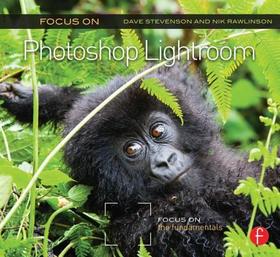
Focus on Photoshop Lightroom teaches you how to stay organized by using Lightroom’s industry-standard keywording and captioning features, bring out the very best in your photography with the processing module, and how to create image presets that make polishing a series of images quick and easy. Expert photographers and Lightroom users Dave Stevenson and Nik Rawlinson lead you through the ins and outs of the program with easy-to-follow steps and projects to get your creative juices flowing!
- Discover time-saving features and shortcuts to navigate Lightroom’s deceptively simple interface.
- Learn how to use the different Lightroom modules: how to import, organize, and sort your photos, edit them, create a book, video clips, or a slideshow, and how to make a great print!
- Be inspired by gorgeous photography and editing tips and tricks.
More
Long description:
Compatible with all versions of Lightroom
Unsure where to start with Photoshop Lightroom? Feeling daunted by other 600 page monster user guides? Want to learn how to get the best out of your photography with the program in a snap?
Focus on Photoshop Lightroom teaches you how to stay organized by using Lightroom’s industry-standard keywording and captioning features, bring out the very best in your photography with the processing module, and how to create image presets that make polishing a series of images quick and easy. Expert photographers and Lightroom users Dave Stevenson and Nik Rawlinson lead you through the ins and outs of the program with easy-to-follow steps and projects to get your creative juices flowing!
- Discover time-saving features and shortcuts to navigate Lightroom’s deceptively simple interface.
- Learn how to use the different Lightroom modules: how to import, organize, and sort your photos, edit them, create a book, video clips, or a slideshow, and how to make a great print!
- Be inspired by gorgeous photography and editing tips and tricks.
More
Table of Contents:
- Welcome to Lightroom: what it is and how it differs from any photo editor you've used before
- Organizing your library: best practice for copying photos to your computer & mastering the import process to reduce the amount of work you have to do later
- Managing your shots: how to use the Library module to make finding, sorting and organising your shots easier and faster. Includes section on mapping: how geo-tagging your shots can make finding them and running a private stock library easier. Also to include how to use automatic collections to sort your shots without you needing to lift a finger.
- The edit. How to create great shots from good shots. To cover all the aspects of the Develop module, including customised lens settings, creating and using presets, sharpening and noise reduction, as well as how to apply a setting change (e.g. white balance) to lots of images at once. Will also include Lightroom 4's new local adjustment tools and brushes. Also to include video: how to colour-grade your video clips in preparation for "real" editing.
- Creating a book. How to use Lightroom to create a high-quality coffee table using the new Book module in association with Blurb. To cover aspects of layout, the different choices of books available, and how to use Lightroom to create PDFs for sending to book creators other than Blurb.
- Finishing your shots. Using Lightroom 4's new soft-proofing tool to make sure your shots look perfect whether you're sending them to the web or print. Also to include discussion of the print module.
More7. Slideshows and web use. How to create and distribute slideshows and web gallery, either for individual client approval, or for the wider world. Can also include the ability to sync your library with Flickr and Facebook.
8. Anatomy of a photo shoot: a step-by-step walkthrough of my workflow, from taking the original set of images, processing them, and outputting them for an agency.

