

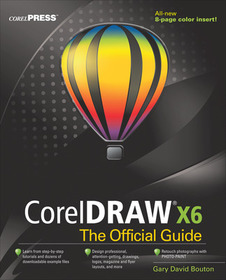
CorelDRAW X6 The Official Guide
Series: The Official Guide;
- Publisher's listprice GBP 65.99
-
29 794 Ft (28 375 Ft + 5% VAT)
The price is estimated because at the time of ordering we do not know what conversion rates will apply to HUF / product currency when the book arrives. In case HUF is weaker, the price increases slightly, in case HUF is stronger, the price goes lower slightly.
- Discount 10% (cc. 2 980 Ft off)
- Discounted price 26 814 Ft (25 538 Ft + 5% VAT)
Subcribe now and take benefit of a favourable price.
Subscribe
29 794 Ft

Availability
printed on demand
Why don't you give exact delivery time?
Delivery time is estimated on our previous experiences. We give estimations only, because we order from outside Hungary, and the delivery time mainly depends on how quickly the publisher supplies the book. Faster or slower deliveries both happen, but we do our best to supply as quickly as possible.
Product details:
- Publisher McGraw Hill
- Date of Publication 16 June 2012
- ISBN 9780071790079
- Binding Paperback
- No. of pages864 pages
- Size 233x188x43 mm
- Weight 1406 g
- Language English 0
Categories
Long description:
Publisher's Note: Products purchased from Third Party sellers are not guaranteed by the publisher for quality, authenticity, or access to any online entitlements included with the product.
The only official guide to CorelDRAW—fully updated throughout to cover all the new features of the latest release
CorelDRAW X The Official Guide is the one-stop tutorial/reference for learning how to create gorgeous graphics for a variety of print and web uses. Veteran graphic designer and author Gary Bouton shows you how to use the new product features, and shows off beautiful graphics and techniques in this Corel-authorized guide. Packed with examples and techniques, this book delivers details no CorelDRAW user can afford to be without!
Ideal for beginners through experts getting started on the new release, the book explains how to install the software, use the illustration and drawing tools, work with text, apply colors, fills, and outlines, apply special effects, and work in 3D.
CorelDRAW X The Official Guide
- Offers hundreds of tips, tricks, and shortcuts that show how to get the most out of product features, not just what the features do
- Includes online access to 30+ video tutorials of hands-on instruction from the author, plus CorelDRAW native files, stock images for tutorials in Corel PHOTO-PAINT, custom typefaces designed by the author, and other useful starter pieces for learning CorelDRAW
- Includes a full-color insert demonstrating results of various filters and effects
- Provides a comprehensive CorelDRAW X reference as well as drawing tips and illustration techniques
- Discusses print and web use and potential issues
- Explains how to use PHOTO-PAINT, Corel’s image-editing tool
Publisher's Note: Products purchased from Third Party sellers are not guaranteed by the publisher for quality, authenticity, or access to any online entitlements included with the product.
The only official guide to CorelDRAW—fully updated throughout to cover all the new features of the latest release
CorelDRAW X The Official Guide is the one-stop tutorial/reference for learning how to create gorgeous graphics for a variety of print and web uses. Veteran graphic designer and author Gary Bouton shows you how to use the new product features, and shows off beautiful graphics and techniques in this Corel-authorized guide. Packed with examples and techniques, this book delivers details no CorelDRAW user can afford to be without!
Ideal for beginners through experts getting started on the new release, the book explains how to install the software, use the illustration and drawing tools, work with text, apply colors, fills, and outlines, apply special effects, and work in 3D.
CorelDRAW X The Official Guide
- Offers hundreds of tips, tricks, and shortcuts that show how to get the most out of product features, not just what the features do
- Includes online access to 30+ video tutorials of hands-on instruction from the author, plus CorelDRAW native files, stock images for tutorials in Corel PHOTO-PAINT, custom typefaces designed by the author, and other useful starter pieces for learning CorelDRAW
- Includes a full-color insert demonstrating results of various filters and effects
- Provides a comprehensive CorelDRAW X reference as well as drawing tips and illustration techniques
- Discusses print and web use and potential issues
- Explains how to use PHOTO-PAINT, Corel’s image-editing tool
Table of Contents:
Part 1 CorelDRAW X Essentials (3 Videos)
Chapter 1: What's New in CorelDRAW X
Chapter 2: Exploring Your Workspace
Chapter 3: Examining the Palettes, Cruising the Menus
Chapter 4: Navigation and Page Setup
Chapter 5: The X Test Drive
Part 2 Getting Started with CorelDRAW X5 (3 videos)
Chapter 6: Working with Single- and Multi-Page Documents
Chapter 7: Measuring and Drawing Helpers
Chapter 8: Creating Basic Shapes, Applying Transformations
Chapter 9: Arranging and Organizing Objects
Part 3: Working with Object Tools (6 videos)
Chapter 10: Using the Pen Tools
Chapter 11: Editing Objects (including PowerClipping objects)
Part 4: Working with Text (2 videos)
Chapter 12: Typography Rules and Conventions
Chapter 13: Working with Text
Chapter 14: Getting your Words Perfect
Part 5: Attributes for Objects and Lines (5 videos)
Chapter 15: Filling Objects
Chapter 16: Outline Attributes
Chapter 17: Digital Color Theory Put to Practice
Part 6: Creating the Illusion of 3D Objects (3 videos)
Chapter 18: Working with Perspective
Chapter 19: Extruding Objects
Part 7: Creating Special Effects (4 videos)
Chapter 20: Envelope and Distortion Effects
Chapter 21: Blends and Contours
Chapter 22: Lens Effects, Transparency, Shadows, Glows and Bevels
Part 8: The Bitmap Side of Corel Graphics Suite (5 videos)
Chapter 23: Bitmap Boot Camp: Working with Photographs
Chapter 24: Advanced Photographic techniques
Chapter 25: An Introduction to Photo-Paint
Chapter 26: special Effects with Photo-Paint
Part 9: Thinking Outside of the ToolBox (1 video)
Chapter 27: Printing: Professional Output
Chapter 28: Basic HTML Page Layout and Publishing
Bonus PDF
Chapter 29: Automating Tasks and Visual Basic for Applications

