

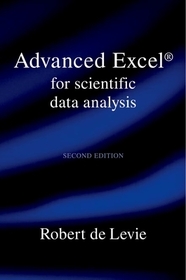
Advanced Excel for Scientific Data Analysis
- Publisher's listprice GBP 40.00
-
18 060 Ft (17 200 Ft + 5% VAT)
The price is estimated because at the time of ordering we do not know what conversion rates will apply to HUF / product currency when the book arrives. In case HUF is weaker, the price increases slightly, in case HUF is stronger, the price goes lower slightly.
- Discount 10% (cc. 1 806 Ft off)
- Discounted price 16 254 Ft (15 480 Ft + 5% VAT)
Subcribe now and take benefit of a favourable price.
Subscribe
18 060 Ft

Availability
Out of print
Why don't you give exact delivery time?
Delivery time is estimated on our previous experiences. We give estimations only, because we order from outside Hungary, and the delivery time mainly depends on how quickly the publisher supplies the book. Faster or slower deliveries both happen, but we do our best to supply as quickly as possible.
Product details:
- Edition number 2
- Publisher Oxford University Press
- Date of Publication 21 August 2008
- ISBN 9780195370225
- Binding Paperback
- No. of pages730 pages
- Size 235x155x36 mm
- Weight 1006 g
- Language English
- Illustrations 250 lines 0
Categories
Short description:
Fully revised and expand the new edition contains three new chapters addressing common but often poorly used mathematical methods; linear algebra on the spreadsheet with Volpis extensive matrix toolbox of custom functions and macros; and how to set up the spreadsheet to make it less error-prone, and how to get superaccurate answers in Excel. The chapter on writing functions has been substantially enlarged and now includes a set of MacroMorsels. All this is presented in an easily
digestible format, illustrated with many examples from the literature, and supported by a large collection of open-access (i.e., fully transparent and user-modifiable) custom functions and macros.
Long description:
Excel is by far the most widely distributed data analysis software, but few users are aware of its full powers. This book takes off where most other books dealing with scientific applications of Excel end. It focuses on three areas: least squares, Fourier transformation, and digital simulation, and illustrates these with extensive examples, often taken from the literature. It also includes and describes a number of sample macros and functions to facilitate common data analysis
tasks. These macros and functions are provided in uncompiled, computer-readable, easily modifiable form, and readers can therefore use them as starting points for making their own, personalized data analysis tools.
The second edition of Advanced Excel addresses two recent developments. First, the new version of Excel, introduced at the beginning of 2007, has many more columns (16,384) than the present version (256), making it a much better environment for matrix operations, a staple of advanced mathematical methods in science and engineering, and a natural for a wide spreadsheet. The second edition includes a chapter explaining and illustrating matrix algebra in Excel.
The second recent development is one outside Microsoft. An Italian engineer, Leonardo Volpi, has developed software with which Excel calculations can be made much more precise. With this freely downloadable tool, which de Levie has already used quite extensively, Excel can be made into a highly precise instrument, not only for scientific data analysis, but also for statistics, something it has not been in the past.
This edition includes a new chapter on numerical methods (mostly devoted to working with matrices) and a new chapter on spreadsheet reliability (with emphasis on using Volpi's high-precision tools).
Table of Contents:
Survey of Excel
Simple linear least squares
Further linear least squares
Non-linear least squares
Fourier transformation
Convolution, deconvolution & time-frequency analysis
Numerical integration of ordinary differential equations
Write your own macros
Some common mathematical operations
Matrix operations
Spreadsheet reliability
A. Some aspects of Excel
B. Some details of Matrix.xla
C. MacroBundles & MacroMorsels
D. Transitioning to Excel 2007
Index

