

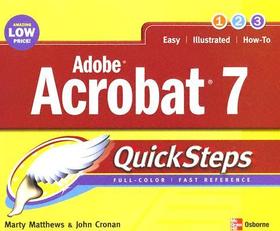
Adobe Acrobat 7.0 QuickSteps
Series: QuickSteps;
- Publisher's listprice GBP 12.99
-
6 205 Ft (5 910 Ft + 5% VAT)
The price is estimated because at the time of ordering we do not know what conversion rates will apply to HUF / product currency when the book arrives. In case HUF is weaker, the price increases slightly, in case HUF is stronger, the price goes lower slightly.
- Discount 10% (cc. 621 Ft off)
- Discounted price 5 585 Ft (5 319 Ft + 5% VAT)
Subcribe now and take benefit of a favourable price.
Subscribe
6 205 Ft

Availability
Permanently out of stock
Why don't you give exact delivery time?
Delivery time is estimated on our previous experiences. We give estimations only, because we order from outside Hungary, and the delivery time mainly depends on how quickly the publisher supplies the book. Faster or slower deliveries both happen, but we do our best to supply as quickly as possible.
Product details:
- Publisher McGraw-Hill Education
- Date of Publication 16 May 2005
- ISBN 9780072260328
- Binding Paperback
- No. of pages240 pages
- Size 251x198x14 mm
- Weight 664 g
- Language English 0
Categories
Short description:
Learn instantly from step-by-step graphics!
We know a picture is worth a thousand words--so we went heavy on pictures and light on words in this easy-to-use guide. Color screenshots and brief instructions show you how to use all of Acrobat?s powerful features in no time. Follow along and learn to create, view, edit, search, and print PDFs, use Distiller, create interactive forms, mark up, and index documents, add links and multimedia, ensure document security, and much more. Each chapter?s ?How to? list and color-coded tabs make it easy to flip straight to the tasks you need to do. Get the book that gets you started using Adobe Acrobat right away.
In each chapter:
- Shortcuts for accomplishing common tasks
- Need-to-know facts in concise narrative
- Helpful reminders or alternate ways of doing things
- Bonus information related to the topic being covered
- Errors and pitfalls to avoid
Screenshots with callouts show and explain exactly what you?ll see on your computer screen while you?re doing a task
Marty Matthews has more than 40 years of computing experience and has written or co-authored more than 60 books, including Windows XP QuickSteps, Microsoft Office Outlook 2003 QuickSteps, and Microsoft Office Word 2003 QuickSteps. John Cronan has more than 25 years of computing experience and has been writing and editing computer-related books for more than 12 years. His recent books include Microsoft Office Excel 2003 QuickSteps, Microsoft Office Access 2003 QuickSteps, and eBay QuickSteps.
MoreLong description:
Here is a full-color, fast reference to the most popular electronic document exchange program--Adobe Acrobat. Release 7 is a major upgrade with new features that include enhanced PDF creation, watermarks, improved collaboration functions, digital signature capability, and more. All these and more features are covered in the book. Color screenshots with callouts show and explain exactly what you'll see on your computer screen while you're doing a task. The lengthwise layout of the book provides a more open, visual display and allows the book to lie flat for easy reference. Learn to:
- Create, view, and edit PDFs
- Use distiller
- Create interactive forms
- Add links and multimedia
- Establish document security
Here is a full-color, fast reference to the most popular electronic document exchange program--Adobe Acrobat. Release 7 is a major upgrade with new features that include enhanced PDF creation, watermarks, improved collaboration functions, digital signature capability, and more. All these and more features are covered in the book. Color screenshots with callouts show and explain exactly what you'll see on your computer screen while you're doing a task. The lengthwise layout of the book provides a more open, visual display and allows the book to lie flat for easy reference. Learn to:
- Create, view, and edit PDFs
- Use distiller
- Create interactive forms
- Add links and multimedia
- Establish document security
Table of Contents:
Learn instantly from step-by-step graphics!
We know a picture is worth a thousand words--so we went heavy on pictures and light on words in this easy-to-use guide. Color screenshots and brief instructions show you how to use all of Acrobat?s powerful features in no time. Follow along and learn to create, view, edit, search, and print PDFs, use Distiller, create interactive forms, mark up, and index documents, add links and multimedia, ensure document security, and much more. Each chapter?s ?How to? list and color-coded tabs make it easy to flip straight to the tasks you need to do. Get the book that gets you started using Adobe Acrobat right away.
In each chapter:
- Shortcuts for accomplishing common tasks
- Need-to-know facts in concise narrative
- Helpful reminders or alternate ways of doing things
- Bonus information related to the topic being covered
- Errors and pitfalls to avoid
Screenshots with callouts show and explain exactly what you?ll see on your computer screen while you?re doing a task
Marty Matthews has more than 40 years of computing experience and has written or co-authored more than 60 books, including Windows XP QuickSteps, Microsoft Office Outlook 2003 QuickSteps, and Microsoft Office Word 2003 QuickSteps. John Cronan has more than 25 years of computing experience and has been writing and editing computer-related books for more than 12 years. His recent books include Microsoft Office Excel 2003 QuickSteps, Microsoft Office Access 2003 QuickSteps, and eBay QuickSteps.
More
