

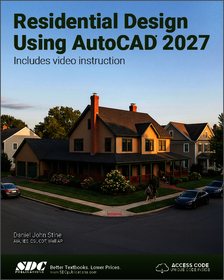
- Publisher's listprice GBP 71.99
-
32 503 Ft (30 955 Ft + 5% VAT)
The price is estimated because at the time of ordering we do not know what conversion rates will apply to HUF / product currency when the book arrives. In case HUF is weaker, the price increases slightly, in case HUF is stronger, the price goes lower slightly.
- Discount 10% (cc. 3 250 Ft off)
- Discounted price 29 252 Ft (27 860 Ft + 5% VAT)
- Discount is valid until: 5 August 2026
Subcribe now and take benefit of a favourable price.
Subscribe
29 252 Ft

Availability
Not yet published.
Why don't you give exact delivery time?
Delivery time is estimated on our previous experiences. We give estimations only, because we order from outside Hungary, and the delivery time mainly depends on how quickly the publisher supplies the book. Faster or slower deliveries both happen, but we do our best to supply as quickly as possible.
Product details:
- Edition number 1
- Publisher SDC Publications
- Date of Publication 25 June 2026
- ISBN 9781630578183
- Binding Paperback
- No. of pages430 pages
- Size 280x210 mm
- Language English 700
Categories
Short description:
Residential Design Using AutoCAD 2027 is an introductory level tutorial which uses residential design exercises as the means to teach you Autodesk AutoCAD 2027.
MoreLong description:
Residential Design Using AutoCAD 2027 is an introductory level tutorial which uses residential design exercises as the means to teach you Autodesk AutoCAD 2027. Each book comes with access to extensive video instruction in which the author explains the most common tools and techniques used when designing residential buildings using AutoCAD 2027. After completing this book you will have a well-rounded knowledge of Computer Aided Drafting that can be used in the industry and the satisfaction of having completed a set of residential drawings.
This textbook starts with a basic introduction to AutoCAD 2027. The first three chapters are intended to get you familiar with the user interface and the most common menus and tools. Throughout the rest of the book you will design a residence through to its completion.
Using step-by-step tutorial lessons, the residential project is followed through to create elevations, sections, details, etc. Throughout the project, new AutoCAD commands are covered at the appropriate time. Focus is placed on the most essential parts of a command rather than an exhaustive review of every sub-feature of a particular command. The Appendix contains a bonus section covering the fundamental principles of engineering graphics that relate to architecture.
This book also comes with extensive video instruction as well as bonus chapters that cover sketching exercises, a roof study workbook and much more.
About the Videos
Each book includes access to extensive video training created by author Daniel Stine. The videos make it easy to see the exact menu selections made by the author while he describes how and why each step is taken, making it straightforward and simple to learn Autodesk AutoCAD.
These videos allow you to become familiar with the menu selections and techniques before you begin the tutorial. By watching these videos you will be more confident in what you are doing and have a better understanding of the desired outcome of each lesson.
The videos cover the following:
- User Interface
- Getting Started
- Draw Tools
- Modify Tools
- Annotation
- Floor Plans
- Exterior Elevations
- Sections
- Interior Design
- Plotting
Table of Contents:
1. Getting started with AutoCAD 2027 2. Crash Course Introduction (The Basics) 3. Drawing Architectural Objects (Draw & Modify) 4. Floor Plans 5. Exterior Elevations 6. Sections 7. Plan Layout & Elevations 8. Site Plan 9. Schedules & Sheet Set Up 10. Lineweights & Plotting Index 11. Introduction to Computers Appendix A: Engineering Graphics Appendix B: Roof Study Workbook - Draft Edition Appendix C: Sketching Exercises
More
